<?xml version="1.0" encoding="utf-8"?><feed xmlns="http://www.w3.org/2005/Atom" ><generator uri="https://jekyllrb.com/" version="3.10.0">Jekyll</generator><link href="https://kusinski.net/feed.xml" rel="self" type="application/atom+xml" /><link href="https://kusinski.net/" rel="alternate" type="text/html" /><updated>2025-12-02T14:44:56+00:00</updated><id>https://kusinski.net/feed.xml</id><title type="html">kusinski.net</title><subtitle>Pawel Kusinski (Paweł Kusiński) – Personal website and blog sharing insights on embedded systems, C programming, electronics, and practical computing topics.</subtitle><author><name>Pawel Kusinski</name></author><entry><title type="html">Managing Photo Metadata with ExifTool</title><link href="https://kusinski.net/misc/managing_photo_metadata_with_exiftool/" rel="alternate" type="text/html" title="Managing Photo Metadata with ExifTool" /><published>2025-12-01T00:00:00+00:00</published><updated>2025-12-01T00:00:00+00:00</updated><id>https://kusinski.net/misc/managing_photo_metadata_with_exiftool</id><content type="html" xml:base="https://kusinski.net/misc/managing_photo_metadata_with_exiftool/"><![CDATA[<h2 id="introduction">Introduction</h2>
<p>I like keeping things organized, and my photo collection and backups are no
exception.  To achieve this goal, processing photo metadata (or meta
information) is a good skill to have.
There is a great piece of software that can be used for editing that meta information, and it’s called ExifTool.
In this post, I’m going to list my most common use cases of ExifTool together with the command snippets.</p>

<h2 id="exiftool-installation">ExifTool Installation</h2>
<p>Follow instructions under this link:
<a href="https://exiftool.org/install.html">https://exiftool.org/install.html</a></p>

<h2 id="use-cases">Use Cases</h2>

<h3 id="rename-photos-to-include-creation-date">Rename Photos to Include Creation Date</h3>
<p>Photos taken by a smartphone are always nicely organized by the OS built-in
photo apps.</p>

<p>However, when you back up your photos on your computer or external media, and
when you want to browse them in the computer file explorer, you end up with a
lot of files with meaningless names. For example, photos taken with an iPhone
are named “IMG_0123”, “IMG_6789”, and so on. File managers across different
systems can sort by file name, file format, or file creation date (e.g. the
date when you copied the file to your computer), but not by the date when the
photo was taken, and this is what we need to effectively navigate through the
photos when they are sorted chronologically.</p>

<p>What I like to use, not only for pictures, is this format: <code class="language-plaintext highlighter-rouge">YYYY-MM-DD</code>. With
this format, optionally followed by 24-hour time (<code class="language-plaintext highlighter-rouge">YYY-MM-DD_HH:MM</code>), it is
super easy to find photos you’re looking for.</p>

<p>The command I use to include the creation date in the photo file name:</p>

<div class="language-bash highlighter-rouge"><div class="highlight"><pre class="highlight"><code><span class="c"># Run in the directory with all the photo files to rename:</span>
exiftool <span class="nt">-d</span> <span class="s1">'%Y-%m-%d_%H:%M_%%03.c.%%e'</span> <span class="s1">'-filename&lt;CreateDate'</span> <span class="nb">.</span>
</code></pre></div></div>

<p>Example:</p>
<div class="language-bash highlighter-rouge"><div class="highlight"><pre class="highlight"><code><span class="nv">$ </span><span class="nb">ls</span> <span class="nt">-1</span>
IMG_0001.JPEG
IMG_0002.JPEG
IMG_0003.JPEG
<span class="nv">$ </span>exiftool <span class="nt">-d</span> <span class="s1">'%Y-%m-%d_%H:%M_%%03.c.%%e'</span> <span class="s1">'-filename&lt;CreateDate'</span> <span class="nb">.</span>
    1 directories scanned
    3 image files updated
<span class="nv">$ </span><span class="nb">ls</span> <span class="nt">-1</span>
2023-04-20_18:36_000.JPEG
2023-11-27_21:58_000.JPEG
2024-12-02_17:50_000.JPEG
</code></pre></div></div>

<p>More info on this command can be found in this <a href="https://photo.stackexchange.com/questions/103767/how-can-i-rename-files-to-match-their-exif-created-date">Stack Exchange
thread</a>.</p>

<h3 id="removing-metadata">Removing Metadata</h3>
<p>Useful when you want to share a picture online, but you
don’t necessarily want to share the device model that you used to take that picture, or
the time, or geolocation.</p>

<h4 id="before-deleting">Before Deleting</h4>
<p>Existing example photo metadata:</p>
<div class="language-plaintext highlighter-rouge"><div class="highlight"><pre class="highlight"><code># Print some metadata using exiftool
$ exiftool IMG_0002.JPEG | grep "Date/Time Original"
Date/Time Original : 2023:11:27 21:58:29
Date/Time Original : 2023:11:27 21:58:29.771+01:00
$ exiftool IMG_0002.JPEG | grep "GPS Position"
GPS Position : 69 deg 52' 10.06" N, 20 deg 4' 10.85" E
$ exiftool IMG_0002.JPEG | grep "Camera Model"
Camera Model Name : iPhone 12 mini
</code></pre></div></div>
<p>We can see the same metadata in the File Manager GUI:
<img src="/assets/images/photo_metadata_in_dolphin_file_manager.webp" alt="photo_metadata_in_dolphin_file_manager.webp" /></p>

<h4 id="command-to-delete-metadata">Command to Delete Metadata</h4>
<p>Here’s the basic command. Aside from removing
metadata, this command creates a backup of the original file. This behavior can
be changed by tweaking some options. More details are in the ExifTool manual.</p>

<div class="language-bash highlighter-rouge"><div class="highlight"><pre class="highlight"><code><span class="nv">$ </span>exiftool <span class="nt">-all</span><span class="o">=</span> IMG_0002.JPEG
Warning: ICC_Profile deleted. Image colors may be affected - IMG_0002.JPEG
1 image files updated
</code></pre></div></div>

<h4 id="after-deleting">After Deleting</h4>
<p>As we can see, the file under the original name doesn’t
have metadata - the <code class="language-plaintext highlighter-rouge">exiftool</code> command output is empty.</p>

<div class="language-bash highlighter-rouge"><div class="highlight"><pre class="highlight"><code><span class="nv">$ </span><span class="nb">ls</span> <span class="nt">-1</span>
IMG_0002.JPEG
IMG_0002.JPEG_original
<span class="nv">$ </span>exiftool IMG_0002.JPEG | <span class="nb">grep</span> <span class="s2">"Date/Time Original"</span>
<span class="nv">$ </span>exiftool IMG_0002.JPEG | <span class="nb">grep</span> <span class="s2">"GPS Position"</span>
<span class="nv">$ </span>exiftool IMG_0002.JPEG | <span class="nb">grep</span> <span class="s2">"Camera Model"</span>
</code></pre></div></div>

<p>In the File Manager “Details” tab, all metadata is gone as well:
<img src="/assets/images/photo_deleted_metadata_in_dolphin_file_manager.webp" alt="photo_deleted_metadata_in_dolphin_file_manager.webp" /></p>

<h2 id="links">Links</h2>

<ul>
  <li><a href="https://exiftool.org/">ExifTool by Phil Harvey Home Page</a></li>
  <li><a href="https://en.wikipedia.org/wiki/Exif">Exchangeable image file format (Exif) Wikipedia Page</a></li>
</ul>]]></content><author><name>Pawel Kusinski</name></author><category term="Misc" /><category term="ExifTool" /><summary type="html"><![CDATA[Practical ExifTool use cases for renaming photos, organizing image libraries, and removing metadata.]]></summary></entry><entry><title type="html">Implementing Generic Containers in C</title><link href="https://kusinski.net/programming/implementing_generic_containers_in_c/" rel="alternate" type="text/html" title="Implementing Generic Containers in C" /><published>2025-08-14T00:00:00+00:00</published><updated>2025-08-14T00:00:00+00:00</updated><id>https://kusinski.net/programming/implementing_generic_containers_in_c</id><content type="html" xml:base="https://kusinski.net/programming/implementing_generic_containers_in_c/"><![CDATA[<h2 id="introduction">Introduction</h2>

<p>In this post, I’ll present some tricks that make it possible to implement a container in C that can store any
data type. No matter if it’s an integer, floating point, or even a custom struct.</p>

<p>In C, there is no standard way to write code that works with different data types.
To illustrate the problem, let’s recall how to get the absolute value
of an integer using the standard library:</p>

<div class="language-c highlighter-rouge"><div class="highlight"><pre class="highlight"><code><span class="c1">// Include the header where abs functions are declared:</span>
<span class="cp">#include</span> <span class="cpf">&lt;stdlib.h&gt;</span><span class="cp">
</span>
<span class="kt">int</span> <span class="n">a</span> <span class="o">=</span> <span class="o">-</span><span class="mi">5</span><span class="p">;</span>
<span class="kt">int</span> <span class="n">abs_a</span> <span class="o">=</span> <span class="n">abs</span><span class="p">(</span><span class="n">a</span><span class="p">);</span>

<span class="kt">long</span> <span class="n">b</span> <span class="o">=</span> <span class="mi">14</span><span class="p">;</span>
<span class="kt">long</span> <span class="n">abs_b</span> <span class="o">=</span> <span class="n">labs</span><span class="p">(</span><span class="n">b</span><span class="p">);</span>

<span class="kt">long</span> <span class="kt">long</span> <span class="n">c</span> <span class="o">=</span> <span class="o">-</span><span class="mi">42</span><span class="p">;</span>
<span class="kt">long</span> <span class="kt">long</span> <span class="n">abs_c</span> <span class="o">=</span> <span class="n">llabs</span><span class="p">(</span><span class="n">c</span><span class="p">);</span>
</code></pre></div></div>

<p>When we look at the implementation of each of the three functions, we
can see that their bodies are identical. The only difference is in the function
signature:</p>

<p><a href="https://sourceware.org/git/?p=glibc.git;a=blob;f=stdlib/abs.c;h=5b75a512f9c7b6568faac4685177691bc2d39d3a;hb=HEAD">[glibc.git]/stdlib/abs.c</a>:</p>

<div class="language-c highlighter-rouge"><div class="highlight"><pre class="highlight"><code><span class="kt">int</span>
<span class="nf">abs</span> <span class="p">(</span><span class="kt">int</span> <span class="n">i</span><span class="p">)</span>
<span class="p">{</span>
  <span class="k">return</span> <span class="n">i</span> <span class="o">&lt;</span> <span class="mi">0</span> <span class="o">?</span> <span class="o">-</span><span class="n">i</span> <span class="o">:</span> <span class="n">i</span><span class="p">;</span>
<span class="p">}</span>
</code></pre></div></div>

<p><a href="https://sourceware.org/git/?p=glibc.git;a=blob;f=stdlib/labs.c;h=dff3b5a97b3bd6c010dec56e9be24916831d1f75;hb=HEAD">[glibc.git]/stdlib/labs.c</a>:</p>

<div class="language-c highlighter-rouge"><div class="highlight"><pre class="highlight"><code><span class="kt">long</span> <span class="kt">int</span>
<span class="nf">labs</span> <span class="p">(</span><span class="kt">long</span> <span class="kt">int</span> <span class="n">i</span><span class="p">)</span>
<span class="p">{</span>
  <span class="k">return</span> <span class="n">i</span> <span class="o">&lt;</span> <span class="mi">0</span> <span class="o">?</span> <span class="o">-</span><span class="n">i</span> <span class="o">:</span> <span class="n">i</span><span class="p">;</span>
<span class="p">}</span>
</code></pre></div></div>

<p><a href="https://sourceware.org/git/?p=glibc.git;a=blob;f=stdlib/llabs.c;h=95279f7ebe3434b8ca5b19ad41382f09e75753dc;hb=HEAD">[glibc.git]/stdlib/llabs.c</a>:</p>

<div class="language-c highlighter-rouge"><div class="highlight"><pre class="highlight"><code><span class="kt">long</span> <span class="kt">long</span> <span class="kt">int</span>
<span class="nf">llabs</span> <span class="p">(</span><span class="kt">long</span> <span class="kt">long</span> <span class="kt">int</span> <span class="n">i</span><span class="p">)</span>
<span class="p">{</span>
  <span class="k">return</span> <span class="n">i</span> <span class="o">&lt;</span> <span class="mi">0</span> <span class="o">?</span> <span class="o">-</span><span class="n">i</span> <span class="o">:</span> <span class="n">i</span><span class="p">;</span>
<span class="p">}</span>
</code></pre></div></div>

<p>The <code class="language-plaintext highlighter-rouge">abs</code> function is super simple, so it’s not difficult to reimplement for every integer type.
It becomes tedious, however, when we implement larger pieces of logic and need to support many types.
We could simply copy-paste the implementation for every type and call it a day.
This is the simplest solution and doesn’t require doing anything sophisticated.
However, when we want to add a new feature or fix a bug, we have to apply
the same change in every version of the code - and that is definitely not fun
and can be error-prone.</p>

<p>In the next part of this post, I’ll present a solution demonstrated on
a simple data collection (LIFO stack), and show ways we can reuse the core
data structure logic for many types.</p>

<h2 id="example-container-stack">Example Container: Stack</h2>
<h3 id="stack-interface">Stack Interface</h3>

<p>Our goal is to implement a stack data structure. The features we expect:</p>
<ul>
  <li>create/destroy the stack: functions for initializing, allocating, and
deallocating memory</li>
  <li>push to the stack and pop from the stack</li>
  <li>peek - check the value on the top of the stack without popping it</li>
  <li>check if the stack is empty</li>
</ul>

<p>For simplicity, we will define the stack capacity at creation time
to avoid reallocating memory, since memory management is not our focus here.</p>

<p>Let’s start with the interface of a stack that stores integers:</p>

<div class="language-c highlighter-rouge"><div class="highlight"><pre class="highlight"><code><span class="cp">#pragma once
</span>
<span class="cp">#include</span> <span class="cpf">&lt;stddef.h&gt;</span><span class="cp">
#include</span> <span class="cpf">&lt;stdbool.h&gt;</span><span class="cp">
</span>
<span class="k">typedef</span> <span class="k">struct</span> <span class="n">Stack</span><span class="o">*</span> <span class="n">Stack</span><span class="p">;</span>

<span class="n">Stack</span> <span class="nf">Stack_create</span><span class="p">(</span><span class="kt">size_t</span> <span class="n">capacity</span><span class="p">);</span>
<span class="kt">void</span> <span class="nf">Stack_destroy</span><span class="p">(</span><span class="n">Stack</span> <span class="n">s</span><span class="p">);</span>

<span class="kt">void</span> <span class="nf">Stack_push</span><span class="p">(</span><span class="n">Stack</span> <span class="n">s</span><span class="p">,</span> <span class="kt">int</span> <span class="n">value</span><span class="p">);</span>
<span class="kt">void</span> <span class="nf">Stack_pop</span><span class="p">(</span><span class="n">Stack</span> <span class="n">s</span><span class="p">);</span>
<span class="kt">int</span> <span class="nf">Stack_peek</span><span class="p">(</span><span class="n">Stack</span> <span class="n">s</span><span class="p">);</span>
<span class="n">bool</span> <span class="nf">Stack_empty</span><span class="p">(</span><span class="n">Stack</span> <span class="n">s</span><span class="p">);</span>
</code></pre></div></div>

<p>There’s not much to explain here - the function prototypes speak for themselves.
The complete code can be found <a href="https://github.com/pawel-kusinski/blog-code-snippets/blob/main/generic_stack/int_type/stack.h">on my GitHub</a>.</p>

<h3 id="stack-internals">Stack Internals</h3>

<p>Before diving deep into making the stack generic, let’s quickly take a look at
how it’s implemented.  In the snipped below we can see the function that
creates the stack and the internal data structure to keep track on the stack
state.</p>

<div class="language-c highlighter-rouge"><div class="highlight"><pre class="highlight"><code><span class="k">struct</span> <span class="n">Stack</span> <span class="p">{</span>
    <span class="kt">int</span><span class="o">*</span> <span class="n">data</span><span class="p">;</span>
    <span class="kt">size_t</span> <span class="n">capacity</span><span class="p">;</span>
    <span class="kt">size_t</span> <span class="n">top</span><span class="p">;</span>
<span class="p">};</span>

<span class="n">Stack</span> <span class="nf">Stack_create</span><span class="p">(</span><span class="kt">size_t</span> <span class="n">capacity</span><span class="p">)</span> <span class="p">{</span>
    <span class="n">Stack</span> <span class="n">s</span> <span class="o">=</span> <span class="n">malloc</span><span class="p">(</span><span class="k">sizeof</span><span class="p">(</span><span class="k">struct</span> <span class="n">Stack</span><span class="p">));</span>
    <span class="n">s</span><span class="o">-&gt;</span><span class="n">data</span> <span class="o">=</span> <span class="n">malloc</span><span class="p">(</span><span class="n">capacity</span> <span class="o">*</span> <span class="k">sizeof</span><span class="p">(</span><span class="kt">int</span><span class="p">));</span>
    <span class="n">s</span><span class="o">-&gt;</span><span class="n">capacity</span> <span class="o">=</span> <span class="n">capacity</span><span class="p">;</span>
    <span class="n">s</span><span class="o">-&gt;</span><span class="n">top</span> <span class="o">=</span> <span class="mi">0</span><span class="p">;</span>
    <span class="k">return</span> <span class="n">s</span><span class="p">;</span>
<span class="p">}</span>
</code></pre></div></div>

<p><code class="language-plaintext highlighter-rouge">Stack.data</code> points to the memory where we keep all stored elements.
<code class="language-plaintext highlighter-rouge">Stack.capacity</code> tells how many elements we can store in the buffer, and <code class="language-plaintext highlighter-rouge">Stack.top</code> keeps track of the current stack size, so we know the offset
in <code class="language-plaintext highlighter-rouge">Stack.data</code> where we can push and pop elements. It also tells us whether
the stack is empty or full.</p>

<p>To show how <code class="language-plaintext highlighter-rouge">Stack.capacity</code> and <code class="language-plaintext highlighter-rouge">Stack.top</code> are used, here are <code class="language-plaintext highlighter-rouge">Stack_push()</code> and <code class="language-plaintext highlighter-rouge">Stack_pop()</code>:</p>

<div class="language-c highlighter-rouge"><div class="highlight"><pre class="highlight"><code><span class="kt">void</span> <span class="nf">Stack_push</span><span class="p">(</span><span class="n">Stack</span> <span class="n">s</span><span class="p">,</span> <span class="kt">int</span> <span class="n">value</span><span class="p">)</span> <span class="p">{</span>
    <span class="k">if</span> <span class="p">(</span><span class="n">s</span><span class="o">-&gt;</span><span class="n">top</span> <span class="o">&gt;=</span> <span class="n">s</span><span class="o">-&gt;</span><span class="n">capacity</span><span class="p">)</span> <span class="p">{</span>
        <span class="k">return</span><span class="p">;</span>
    <span class="p">}</span>

    <span class="n">s</span><span class="o">-&gt;</span><span class="n">data</span><span class="p">[</span><span class="n">s</span><span class="o">-&gt;</span><span class="n">top</span><span class="o">++</span><span class="p">]</span> <span class="o">=</span> <span class="n">value</span><span class="p">;</span>
<span class="p">}</span>

<span class="kt">void</span> <span class="nf">Stack_pop</span><span class="p">(</span><span class="n">Stack</span> <span class="n">s</span><span class="p">)</span> <span class="p">{</span>
    <span class="n">assert</span><span class="p">(</span><span class="n">s</span><span class="o">-&gt;</span><span class="n">top</span><span class="p">);</span>
    <span class="n">s</span><span class="o">-&gt;</span><span class="n">top</span><span class="o">--</span><span class="p">;</span>
<span class="p">}</span>
</code></pre></div></div>

<p>When pushing, we compare <code class="language-plaintext highlighter-rouge">top</code> with <code class="language-plaintext highlighter-rouge">capacity</code> to ensure we don’t
write outside the allocated buffer. Before popping, we check <code class="language-plaintext highlighter-rouge">top</code> to
ensure there’s something to pop.</p>

<p>If you want to see the other functions, they’re in <a href="https://github.com/pawel-kusinski/blog-code-snippets/blob/main/generic_stack/int_type/stack.c">this
repo</a>.</p>

<p>Now, let’s look at the first method to make our integer stack generic so it can
store any data type.</p>

<h2 id="method-1-void-pointer">Method 1: void* Pointer</h2>

<p>Take a look at the <code class="language-plaintext highlighter-rouge">Stack_push()</code> function signature.
It clearly says: “I expect you to pass a value, and its type should be <code class="language-plaintext highlighter-rouge">int</code>”.</p>

<div class="language-c highlighter-rouge"><div class="highlight"><pre class="highlight"><code><span class="kt">void</span> <span class="nf">Stack_push</span><span class="p">(</span><span class="n">Stack</span> <span class="n">s</span><span class="p">,</span> <span class="kt">int</span> <span class="n">value</span><span class="p">);</span>
</code></pre></div></div>

<p>Now, how can we modify this so the function accepts any type?
There is a way - and it’s called a void pointer:</p>

<div class="language-c highlighter-rouge"><div class="highlight"><pre class="highlight"><code><span class="kt">void</span> <span class="nf">Stack_push</span><span class="p">(</span><span class="n">Stack</span> <span class="n">s</span><span class="p">,</span> <span class="kt">void</span><span class="o">*</span> <span class="n">value</span><span class="p">);</span>
</code></pre></div></div>

<p>When we pass a void pointer, <code class="language-plaintext highlighter-rouge">Stack_push()</code> only knows where the element
is stored — it doesn’t know how many bytes it occupies.
<code class="language-plaintext highlighter-rouge">Stack_push()</code> needs to copy the data we pass to it.
The missing information is the size in bytes of that element.
One option would be:</p>

<div class="language-c highlighter-rouge"><div class="highlight"><pre class="highlight"><code><span class="kt">void</span> <span class="nf">Stack_push</span><span class="p">(</span><span class="n">Stack</span> <span class="n">s</span><span class="p">,</span> <span class="kt">void</span><span class="o">*</span> <span class="n">value</span><span class="p">,</span> <span class="kt">size_t</span> <span class="n">elem_size</span><span class="p">);</span>
</code></pre></div></div>

<p>Here, elem_size tells how many bytes to copy from the value pointer.
However, all elements in a stack are the same type, meaning they’re all
the same size.
So a better idea is to pass <code class="language-plaintext highlighter-rouge">elem_size</code> only once, when creating the stack,
and store it in the internal data structure.</p>

<p>Revised stack structure and <code class="language-plaintext highlighter-rouge">Stack_create()</code>:</p>

<div class="language-c highlighter-rouge"><div class="highlight"><pre class="highlight"><code><span class="k">struct</span> <span class="n">Stack</span> <span class="p">{</span>
    <span class="kt">char</span><span class="o">*</span> <span class="n">data</span><span class="p">;</span>
    <span class="kt">size_t</span> <span class="n">capacity</span><span class="p">;</span>
    <span class="kt">size_t</span> <span class="n">top</span><span class="p">;</span>
    <span class="kt">size_t</span> <span class="n">elem_size</span><span class="p">;</span>
<span class="p">};</span>

<span class="n">Stack</span> <span class="nf">Stack_create</span><span class="p">(</span><span class="kt">size_t</span> <span class="n">capacity</span><span class="p">,</span> <span class="kt">size_t</span> <span class="n">elem_size</span><span class="p">)</span> <span class="p">{</span>
    <span class="n">Stack</span> <span class="n">s</span> <span class="o">=</span> <span class="n">malloc</span><span class="p">(</span><span class="k">sizeof</span><span class="p">(</span><span class="k">struct</span> <span class="n">Stack</span><span class="p">));</span>
    <span class="n">s</span><span class="o">-&gt;</span><span class="n">data</span> <span class="o">=</span> <span class="n">malloc</span><span class="p">(</span><span class="n">capacity</span> <span class="o">*</span> <span class="n">elem_size</span><span class="p">);</span>
    <span class="n">s</span><span class="o">-&gt;</span><span class="n">capacity</span> <span class="o">=</span> <span class="n">capacity</span><span class="p">;</span>
    <span class="n">s</span><span class="o">-&gt;</span><span class="n">top</span> <span class="o">=</span> <span class="mi">0</span><span class="p">;</span>
    <span class="n">s</span><span class="o">-&gt;</span><span class="n">elem_size</span> <span class="o">=</span> <span class="n">elem_size</span><span class="p">;</span>
    <span class="k">return</span> <span class="n">s</span><span class="p">;</span>
<span class="p">}</span>
</code></pre></div></div>

<p>The <code class="language-plaintext highlighter-rouge">data</code> array is now just a byte array.
A size of one byte works for any data type - from 8-bit characters to custom
structures whose size is not divisible by 2 or 4.</p>

<p>When creating a stack that stores up to 3 long values:</p>

<div class="language-c highlighter-rouge"><div class="highlight"><pre class="highlight"><code><span class="kt">size_t</span> <span class="n">capacity</span> <span class="o">=</span> <span class="mi">3</span><span class="p">;</span>
<span class="kt">size_t</span> <span class="n">elem_size</span> <span class="o">=</span> <span class="k">sizeof</span><span class="p">(</span><span class="kt">long</span><span class="p">);</span>
<span class="n">Stack</span> <span class="n">s</span> <span class="o">=</span> <span class="n">Stack_create</span><span class="p">(</span><span class="n">capacity</span><span class="p">,</span> <span class="n">elem_size</span><span class="p">);</span>
</code></pre></div></div>

<p>If <code class="language-plaintext highlighter-rouge">sizeof(long)</code> is 8, the internal array will be 24 bytes long.
Note that the actual size of a type may depend on the platform.</p>

<p>The <code class="language-plaintext highlighter-rouge">Stack_push()</code> function for this generic stack:</p>

<div class="language-c highlighter-rouge"><div class="highlight"><pre class="highlight"><code><span class="kt">void</span> <span class="nf">Stack_push</span><span class="p">(</span><span class="n">Stack</span> <span class="n">s</span><span class="p">,</span> <span class="kt">void</span><span class="o">*</span> <span class="n">value</span><span class="p">)</span> <span class="p">{</span>
    <span class="k">if</span> <span class="p">(</span><span class="n">s</span><span class="o">-&gt;</span><span class="n">top</span> <span class="o">&gt;=</span> <span class="n">s</span><span class="o">-&gt;</span><span class="n">capacity</span> <span class="o">*</span> <span class="n">s</span><span class="o">-&gt;</span><span class="n">elem_size</span><span class="p">)</span> <span class="p">{</span>
        <span class="k">return</span><span class="p">;</span>
    <span class="p">}</span>

    <span class="n">memcpy</span><span class="p">(</span><span class="o">&amp;</span><span class="n">s</span><span class="o">-&gt;</span><span class="n">data</span><span class="p">[</span><span class="n">s</span><span class="o">-&gt;</span><span class="n">top</span><span class="p">],</span> <span class="n">value</span><span class="p">,</span> <span class="n">s</span><span class="o">-&gt;</span><span class="n">elem_size</span><span class="p">);</span>
    <span class="n">s</span><span class="o">-&gt;</span><span class="n">top</span> <span class="o">+=</span> <span class="n">s</span><span class="o">-&gt;</span><span class="n">elem_size</span><span class="p">;</span>
<span class="p">}</span>
</code></pre></div></div>

<p>Here, <code class="language-plaintext highlighter-rouge">memcpy()</code> copies <code class="language-plaintext highlighter-rouge">elem_size</code> bytes from the <code class="language-plaintext highlighter-rouge">value</code> pointer into the
buffer starting at index <code class="language-plaintext highlighter-rouge">top</code>.
In this generic version, <code class="language-plaintext highlighter-rouge">top</code> is incremented or decremented by <code class="language-plaintext highlighter-rouge">elem_size</code>
each time we push or pop.</p>

<p>This method lets us implement a data structure once for all types - no extra
headers needed.
The downside is syntactic overhead. For example, <code class="language-plaintext highlighter-rouge">Stack_peek()</code> returns
a void pointer:</p>

<div class="language-c highlighter-rouge"><div class="highlight"><pre class="highlight"><code><span class="kt">void</span><span class="o">*</span> <span class="n">Stack_peek</span><span class="p">(</span><span class="n">Stack</span> <span class="n">s</span><span class="p">)</span>
    <span class="n">assert</span><span class="p">(</span><span class="n">s</span><span class="o">-&gt;</span><span class="n">top</span><span class="p">)</span>
    <span class="k">return</span> <span class="p">(</span><span class="kt">void</span><span class="o">*</span><span class="p">)</span><span class="o">&amp;</span><span class="n">s</span><span class="o">-&gt;</span><span class="n">data</span><span class="p">[</span><span class="n">s</span><span class="o">-&gt;</span><span class="n">top</span> <span class="o">-</span> <span class="n">s</span><span class="o">-&gt;</span><span class="n">elem_size</span><span class="p">]</span>
<span class="err">}</span>
</code></pre></div></div>

<p>To use the value, we must cast and dereference:</p>

<div class="language-c highlighter-rouge"><div class="highlight"><pre class="highlight"><code><span class="kt">long</span> <span class="n">val</span> <span class="o">=</span> <span class="o">*</span><span class="p">((</span><span class="kt">long</span><span class="o">*</span><span class="p">)</span><span class="n">Stack_peek</span><span class="p">(</span><span class="n">s</span><span class="p">));</span>
<span class="n">printf</span><span class="p">(</span><span class="s">"val: %ld</span><span class="se">\n</span><span class="s">"</span><span class="p">,</span> <span class="n">val</span><span class="p">);</span>
</code></pre></div></div>

<p>This adds extra syntax and reduces readability.</p>

<h2 id="method-2-macros">Method 2: Macros</h2>

<p>Another method uses the preprocessor to generate function declarations
and definitions for each type.</p>

<p>We want to “copy and paste” the integer stack header for different types:</p>

<div class="language-c highlighter-rouge"><div class="highlight"><pre class="highlight"><code><span class="k">typedef</span> <span class="k">struct</span> <span class="n">Stack</span><span class="o">*</span> <span class="n">Stack</span><span class="p">;</span>
<span class="n">Stack</span> <span class="nf">Stack_create</span><span class="p">(</span><span class="kt">size_t</span> <span class="n">capacity</span><span class="p">);</span>
<span class="kt">void</span> <span class="nf">Stack_destroy</span><span class="p">(</span><span class="n">Stack</span> <span class="n">s</span><span class="p">);</span>
<span class="kt">void</span> <span class="nf">Stack_push</span><span class="p">(</span><span class="n">Stack</span> <span class="n">s</span><span class="p">,</span> <span class="kt">int</span> <span class="n">value</span><span class="p">);</span>
<span class="kt">void</span> <span class="nf">Stack_pop</span><span class="p">(</span><span class="n">Stack</span> <span class="n">s</span><span class="p">);</span>
<span class="kt">int</span> <span class="nf">Stack_peek</span><span class="p">(</span><span class="n">Stack</span> <span class="n">s</span><span class="p">);</span>
<span class="n">bool</span> <span class="nf">Stack_empty</span><span class="p">(</span><span class="n">Stack</span> <span class="n">s</span><span class="p">);</span>
</code></pre></div></div>

<p>The X-Macros technique works well here - we define the list of desired
data types in one place, and macros generate all declarations and definitions.
You can read more on X-Macros in <a href="https://www.kusinski.net/programming/practical_use_cases_of_x_macros_in_c">this post</a>.</p>

<h3 id="custom-structure-for-demonstration">Custom Structure for Demonstration</h3>

<p>To show that this method works with custom types, let’s define a <code class="language-plaintext highlighter-rouge">Point</code> struct:</p>

<div class="language-c highlighter-rouge"><div class="highlight"><pre class="highlight"><code><span class="k">typedef</span> <span class="k">struct</span> <span class="p">{</span>
    <span class="kt">double</span> <span class="n">x</span><span class="p">;</span>
    <span class="kt">double</span> <span class="n">y</span><span class="p">;</span>
<span class="p">}</span> <span class="n">Point</span>
</code></pre></div></div>

<h3 id="list-of-stack-data-types">List of Stack Data Types</h3>

<p>Here’s the list of types for which stack functions are generated:</p>

<div class="language-c highlighter-rouge"><div class="highlight"><pre class="highlight"><code><span class="cp">#define STACK_TYPES \
    X(double) \
    X(Point)
</span></code></pre></div></div>
<p>This is the only place where we add data types to support,
and all macros will generate code for it.</p>

<h3 id="x-macro-in-the-header-file">X Macro in the Header File</h3>

<p>In the header, we define the X macro. <code class="language-plaintext highlighter-rouge">T</code> is the type name.
We concatenate <code class="language-plaintext highlighter-rouge">Stack_</code> with the type name to create handle and function names.</p>

<div class="language-c highlighter-rouge"><div class="highlight"><pre class="highlight"><code><span class="cp">#define X(T) \
typedef struct Stack_ ## T * Stack_ ## T; \
Stack_ ## T Stack_ ## T ## _create(size_t capacity); \
void Stack_ ## T ## _destroy(Stack_ ## T s); \
void Stack_ ## T ## _push(Stack_ ## T s, T value); \
void Stack_ ## T ## _pop(Stack_ ## T s); \
T Stack_ ## T ## _peek(Stack_ ## T s); \
bool Stack_ ## T ## _empty(Stack_ ## T s);
</span>
<span class="n">STACK_TYPES</span>

<span class="cp">#undef X
</span></code></pre></div></div>

<h3 id="header-file-macro-expansion">Header File Macro Expansion</h3>

<p>For clarity, here’s what it expands to:</p>

<div class="language-c highlighter-rouge"><div class="highlight"><pre class="highlight"><code><span class="k">typedef</span> <span class="k">struct</span> <span class="n">Stack_double</span> <span class="o">*</span> <span class="n">Stack_double</span><span class="p">;</span>
<span class="n">Stack_double</span> <span class="nf">Stack_double_create</span><span class="p">(</span><span class="kt">size_t</span> <span class="n">capacity</span><span class="p">);</span>
<span class="kt">void</span> <span class="nf">Stack_double_destroy</span><span class="p">(</span><span class="n">Stack_double</span> <span class="n">s</span><span class="p">);</span>
<span class="kt">void</span> <span class="nf">Stack_double_push</span><span class="p">(</span><span class="n">Stack_double</span> <span class="n">s</span><span class="p">,</span> <span class="kt">double</span> <span class="n">value</span><span class="p">);</span>
<span class="kt">void</span> <span class="nf">Stack_double_pop</span><span class="p">(</span><span class="n">Stack_double</span> <span class="n">s</span><span class="p">);</span>
<span class="kt">double</span> <span class="nf">Stack_double_peek</span><span class="p">(</span><span class="n">Stack_double</span> <span class="n">s</span><span class="p">);</span>
<span class="n">Stack_double_empty</span><span class="p">(</span><span class="n">Stack_double</span> <span class="n">s</span><span class="p">);</span>

<span class="k">typedef</span> <span class="k">struct</span> <span class="n">Stack_Point</span> <span class="o">*</span> <span class="n">Stack_Point</span><span class="p">;</span>
<span class="n">Stack_Point</span> <span class="nf">Stack_Point_create</span><span class="p">(</span><span class="kt">size_t</span> <span class="n">capacity</span><span class="p">);</span>
<span class="kt">void</span> <span class="nf">Stack_Point_destroy</span><span class="p">(</span><span class="n">Stack_Point</span> <span class="n">s</span><span class="p">);</span>
<span class="kt">void</span> <span class="nf">Stack_Point_push</span><span class="p">(</span><span class="n">Stack_Point</span> <span class="n">s</span><span class="p">,</span> <span class="n">Point</span> <span class="n">value</span><span class="p">);</span>
<span class="kt">void</span> <span class="nf">Stack_Point_pop</span><span class="p">(</span><span class="n">Stack_Point</span> <span class="n">s</span><span class="p">);</span>
<span class="n">Point</span> <span class="nf">Stack_Point_peek</span><span class="p">(</span><span class="n">Stack_Point</span> <span class="n">s</span><span class="p">);</span>
<span class="n">Stack_Point_empty</span><span class="p">(</span><span class="n">Stack_Point</span> <span class="n">s</span><span class="p">);</span>
</code></pre></div></div>

<h3 id="x-macros-in-the-c-file">X Macros in the C file</h3>

<p>In the .c file, we use the same technique:</p>

<div class="language-c highlighter-rouge"><div class="highlight"><pre class="highlight"><code><span class="cp">#define X(T) \
\
struct Stack_ ## T { \
    T* data; \
    size_t capacity; \
    size_t top; \
}; \
\
Stack_ ## T Stack_ ## T ## _create(size_t capacity) { \
    Stack_ ## T s = malloc(sizeof(struct Stack_ ## T)); \
    s-&gt;data = malloc(capacity * sizeof(T)); \
    s-&gt;capacity = capacity; \
    s-&gt;top = 0; \
    return s; \
} \
\
void Stack_ ## T ## _push(Stack_ ## T s, T value) { \
    if (s-&gt;top &gt;= s-&gt;capacity) { \
        return; \
    } \
 \
    s-&gt;data[s-&gt;top++] = value; \
}
</span>
<span class="n">STACK_TYPES</span>

<span class="cp">#undef X
</span></code></pre></div></div>

<p>It expands to:</p>

<div class="language-c highlighter-rouge"><div class="highlight"><pre class="highlight"><code><span class="k">struct</span> <span class="n">Stack_double</span> <span class="p">{</span>
    <span class="kt">double</span><span class="o">*</span> <span class="n">data</span><span class="p">;</span>
    <span class="kt">size_t</span> <span class="n">capacity</span><span class="p">;</span>
    <span class="kt">size_t</span> <span class="n">top</span><span class="p">;</span>
<span class="p">};</span>

<span class="n">Stack_double</span> <span class="nf">Stack_double_create</span><span class="p">(</span><span class="kt">size_t</span> <span class="n">capacity</span><span class="p">)</span> <span class="p">{</span>
    <span class="n">Stack_double</span> <span class="n">s</span> <span class="o">=</span> <span class="n">malloc</span><span class="p">(</span><span class="k">sizeof</span><span class="p">(</span><span class="k">struct</span> <span class="n">Stack_double</span><span class="p">));</span>
    <span class="n">s</span><span class="o">-&gt;</span><span class="n">data</span> <span class="o">=</span> <span class="n">malloc</span><span class="p">(</span><span class="n">capacity</span> <span class="o">*</span> <span class="k">sizeof</span><span class="p">(</span><span class="kt">double</span><span class="p">));</span>
    <span class="n">s</span><span class="o">-&gt;</span><span class="n">capacity</span> <span class="o">=</span> <span class="n">capacity</span><span class="p">;</span>
    <span class="n">s</span><span class="o">-&gt;</span><span class="n">top</span> <span class="o">=</span> <span class="mi">0</span><span class="p">;</span>
    <span class="k">return</span> <span class="n">s</span><span class="p">;</span>
<span class="p">}</span>

<span class="kt">void</span> <span class="nf">Stack_double_push</span><span class="p">(</span><span class="n">Stack_double</span> <span class="n">s</span><span class="p">,</span> <span class="kt">double</span> <span class="n">value</span><span class="p">)</span> <span class="p">{</span>
    <span class="k">if</span> <span class="p">(</span><span class="n">s</span><span class="o">-&gt;</span><span class="n">top</span> <span class="o">&gt;=</span> <span class="n">s</span><span class="o">-&gt;</span><span class="n">capacity</span><span class="p">)</span> <span class="p">{</span>
        <span class="k">return</span><span class="p">;</span>
    <span class="p">}</span>

    <span class="n">s</span><span class="o">-&gt;</span><span class="n">data</span><span class="p">[</span><span class="n">s</span><span class="o">-&gt;</span><span class="n">top</span><span class="o">++</span><span class="p">]</span> <span class="o">=</span> <span class="n">value</span><span class="p">;</span>
<span class="p">}</span>

<span class="k">struct</span> <span class="n">Stack_Point</span> <span class="p">{</span>
    <span class="n">Point</span><span class="o">*</span> <span class="n">data</span><span class="p">;</span>
    <span class="kt">size_t</span> <span class="n">capacity</span><span class="p">;</span>
    <span class="kt">size_t</span> <span class="n">top</span><span class="p">;</span>
<span class="p">};</span>

<span class="n">Stack_Point</span> <span class="nf">Stack_Point_create</span><span class="p">(</span><span class="kt">size_t</span> <span class="n">capacity</span><span class="p">)</span> <span class="p">{</span>
    <span class="n">Stack_Point</span> <span class="n">s</span> <span class="o">=</span> <span class="n">malloc</span><span class="p">(</span><span class="k">sizeof</span><span class="p">(</span><span class="k">struct</span> <span class="n">Stack_Point</span><span class="p">));</span>
    <span class="n">s</span><span class="o">-&gt;</span><span class="n">data</span> <span class="o">=</span> <span class="n">malloc</span><span class="p">(</span><span class="n">capacity</span> <span class="o">*</span> <span class="k">sizeof</span><span class="p">(</span><span class="n">Point</span><span class="p">));</span>
    <span class="n">s</span><span class="o">-&gt;</span><span class="n">capacity</span> <span class="o">=</span> <span class="n">capacity</span><span class="p">;</span>
    <span class="n">s</span><span class="o">-&gt;</span><span class="n">top</span> <span class="o">=</span> <span class="mi">0</span><span class="p">;</span>
    <span class="k">return</span> <span class="n">s</span><span class="p">;</span>
<span class="p">}</span>

<span class="kt">void</span> <span class="nf">Stack_Point_push</span><span class="p">(</span><span class="n">Stack_Point</span> <span class="n">s</span><span class="p">,</span> <span class="n">Point</span> <span class="n">value</span><span class="p">)</span> <span class="p">{</span>
    <span class="k">if</span> <span class="p">(</span><span class="n">s</span><span class="o">-&gt;</span><span class="n">top</span> <span class="o">&gt;=</span> <span class="n">s</span><span class="o">-&gt;</span><span class="n">capacity</span><span class="p">)</span> <span class="p">{</span>
        <span class="k">return</span><span class="p">;</span>
    <span class="p">}</span>

    <span class="n">s</span><span class="o">-&gt;</span><span class="n">data</span><span class="p">[</span><span class="n">s</span><span class="o">-&gt;</span><span class="n">top</span><span class="o">++</span><span class="p">]</span> <span class="o">=</span> <span class="n">value</span><span class="p">;</span>
<span class="p">}</span>
</code></pre></div></div>

<h3 id="bonus-function-overloading">Bonus: Function Overloading</h3>

<p>Thanks to the macros, the Stack declarations and logic are generated for any data type.
However, unlike the void pointer method, we still end up with different functions for each type.
In the example below, we push two different elements to two stacks of different types.
Because the functions are type-specific, we must ensure we call the correct variant.</p>

<div class="language-c highlighter-rouge"><div class="highlight"><pre class="highlight"><code><span class="kt">double</span> <span class="n">val_double</span> <span class="o">=</span> <span class="mi">1</span><span class="p">;</span>
<span class="n">Stack_double_push</span><span class="p">(</span><span class="n">s_double</span><span class="p">,</span> <span class="n">val_double</span><span class="p">);</span>

<span class="n">Point</span> <span class="n">val_point</span> <span class="o">=</span> <span class="p">{.</span><span class="n">x</span> <span class="o">=</span> <span class="mi">1</span><span class="p">,</span> <span class="p">.</span><span class="n">y</span> <span class="o">=</span> <span class="mi">2</span><span class="p">};</span>
<span class="n">Stack_Point_push</span><span class="p">(</span><span class="n">s_point</span><span class="p">,</span> <span class="n">val_point</span><span class="p">);</span>
</code></pre></div></div>

<p>There is a way to write just <code class="language-plaintext highlighter-rouge">Stack_push(s, v)</code> regardless of the type of <code class="language-plaintext highlighter-rouge">s</code> and <code class="language-plaintext highlighter-rouge">v</code>.
To achieve this, we can use the <code class="language-plaintext highlighter-rouge">_Generic</code> keyword, which allows us to simulate
function overloading similar to what exists in other programming languages.</p>

<div class="language-c highlighter-rouge"><div class="highlight"><pre class="highlight"><code><span class="cp">#define Stack_push(s, v) _Generic((s), \
    Stack_double: Stack_double_push, \
    Stack_Point: Stack_Point_push \
)(s, v)
</span></code></pre></div></div>

<p>The <code class="language-plaintext highlighter-rouge">_Generic</code> statement checks the type of <code class="language-plaintext highlighter-rouge">s</code> (the stack handle) and, based on its type,
selects the matching function. With this definition in place, the previous example can be rewritten as:</p>

<div class="language-c highlighter-rouge"><div class="highlight"><pre class="highlight"><code><span class="kt">double</span> <span class="n">val_double</span> <span class="o">=</span> <span class="mi">1</span><span class="p">;</span>
<span class="n">Stack_push</span><span class="p">(</span><span class="n">s_double</span><span class="p">,</span> <span class="n">val_double</span><span class="p">);</span>

<span class="n">Point</span> <span class="n">val_point</span> <span class="o">=</span> <span class="p">{.</span><span class="n">x</span> <span class="o">=</span> <span class="mi">1</span><span class="p">,</span> <span class="p">.</span><span class="n">y</span> <span class="o">=</span> <span class="mi">2</span><span class="p">};</span>
<span class="n">Stack_push</span><span class="p">(</span><span class="n">s_point</span><span class="p">,</span> <span class="n">val_point</span><span class="p">);</span>
</code></pre></div></div>

<p>This becomes especially useful when we decide to change the type stored in the stack.
For example, if we switch from <code class="language-plaintext highlighter-rouge">int</code> to <code class="language-plaintext highlighter-rouge">long</code>, we no longer need to replace
<code class="language-plaintext highlighter-rouge">Stack_int_push</code> with <code class="language-plaintext highlighter-rouge">Stack_long_push</code> throughout the codebase - the <code class="language-plaintext highlighter-rouge">_Generic</code> macro handles it.</p>

<p>Earlier I mentioned that we only need to define the <code class="language-plaintext highlighter-rouge">STACK_TYPES</code> list and all macros
will expand for all specified types. Unfortunately, the <code class="language-plaintext highlighter-rouge">_Generic</code> selection list must still
be maintained separately alongside <code class="language-plaintext highlighter-rouge">STACK_TYPES</code>. This extra maintenance is why I mark
this technique as a “bonus” solution.</p>

<p>More details on the <code class="language-plaintext highlighter-rouge">_Generic</code> keyword can be found in <a href="https://www.kusinski.net/programming/c_generic_keyword">this
post</a></p>

<h2 id="comparison-of-presented-methods">Comparison of Presented Methods</h2>

<table>
  <thead>
    <tr>
      <th> </th>
      <th style="text-align: center">Void Pointer</th>
      <th style="text-align: center">Macros</th>
    </tr>
  </thead>
  <tbody>
    <tr>
      <td>Code Size</td>
      <td style="text-align: center">:+1:</td>
      <td style="text-align: center">:-1:</td>
    </tr>
    <tr>
      <td>Easy to use API</td>
      <td style="text-align: center">:-1:</td>
      <td style="text-align: center">:+1:</td>
    </tr>
    <tr>
      <td>Code readability</td>
      <td style="text-align: center">:+1:</td>
      <td style="text-align: center">:-1:</td>
    </tr>
    <tr>
      <td>Modularity</td>
      <td style="text-align: center">:+1:</td>
      <td style="text-align: center">:-1:</td>
    </tr>
  </tbody>
</table>

<h3 id="code-size">Code Size</h3>

<p>The void pointer technique uses the same implementation for all types,
so the code size does not grow as the number of supported stack types increases.</p>

<p>When using the macro technique, similar code is generated for every data type,
so the total code size grows as we add more types.</p>

<h3 id="easy-to-use-api">Easy to Use API</h3>

<p>Because void pointers require casting and dereferencing,
we end up with more complicated syntax even for simple functions such as getters.</p>

<p>Code generated by macros is easier to use,
because it is clearly defined for each data type and does not require
pointer-related operators such as <code class="language-plaintext highlighter-rouge">&amp;</code> and <code class="language-plaintext highlighter-rouge">*</code>.</p>

<h3 id="code-readability">Code Readability</h3>

<p>Even though dealing with pointers usually involves more effort and requires extra care,
code defined using macros can be harder to read and follow - especially when
your text editor does not support automatic macro expansion views.</p>

<h3 id="modularity">Modularity</h3>

<p>Here’s what I mean by “modularity”:
Code that is modular can be compiled as a library, kept in a separate repository,
and easily reused in different projects without modification.</p>

<p>The void pointer implementation is 100% modular,
and can be reused for any data type without customization.</p>

<p>This is not the case with the macro-based implementation.
The <code class="language-plaintext highlighter-rouge">STACK_TYPES</code> list defines all supported data types.
We could add all built-in C types to that list,
but we cannot automatically include custom types defined by the user.
Therefore, the user either has to modify the original header file
or provide their own version and include it in the main header file.</p>

<h2 id="conclusion">Conclusion</h2>

<p>C is a simple, low-level language, and therefore, to keep the code generic,
we have to rely on techniques that each have their own advantages and disadvantages.
If you use a data structure only in a few places or projects,
it may not be worth applying the techniques presented here.
However, when you find yourself rewriting the same code for many different data types,
you might want to give them a try.</p>

<h2 id="links">Links</h2>
<p>Complete source code for this blog post:
<a href="https://github.com/pawel-kusinski/blog-code-snippets/tree/main/generic_stack">github.com/pawel-kusinski</a></p>

<p>glibc stdlib source tree:
<a href="https://sourceware.org/git/?p=glibc.git;a=tree;f=stdlib;hb=HEAD">sourceware.org</a></p>

<p>Practical Use Cases of X Macros in C:
<a href="https://www.kusinski.net/programming/practical_use_cases_of_x_macros_in_c/">kusinski.net</a></p>

<p>Generic Keyword in C:
<a href="https://www.kusinski.net/programming/c_generic_keyword/">kusinski.net</a></p>]]></content><author><name>Pawel Kusinski</name></author><category term="Programming" /><category term="C" /><summary type="html"><![CDATA[C is a simple, low-level language, and keeping code generic requires special techniques. This post explores two approaches to building a generic stack in C.]]></summary></entry><entry><title type="html">Practical Use Cases of X Macros in C</title><link href="https://kusinski.net/programming/practical_use_cases_of_x_macros_in_c/" rel="alternate" type="text/html" title="Practical Use Cases of X Macros in C" /><published>2025-06-22T00:00:00+00:00</published><updated>2025-09-26T00:00:00+00:00</updated><id>https://kusinski.net/programming/practical_use_cases_of_x_macros_in_c</id><content type="html" xml:base="https://kusinski.net/programming/practical_use_cases_of_x_macros_in_c/"><![CDATA[<h2 id="introduction">Introduction</h2>
<p>An X macro is a powerful preprocessor technique in which we define a list of data entries.
This data list is then plugged into logic blocks that are executed once per data entry.
Using X macros can help minimize writing repetitive code. While macros are often considered hard to read, once you become familiar with this pattern, it’s not that intimidating anymore. It’s worth having this in your design toolbox, as separating data from logic and minimizing code repetition is always beneficial.
In this post, I’ll present a couple of examples of X macro usage, and as usual, my examples are focused on embedded systems.</p>

<h2 id="use-case-1-enum-to-string">Use Case 1: Enum to String</h2>

<h3 id="manual-conversions">“Manual” Conversions</h3>

<p>Let’s say we have the following enum defined:</p>
<div class="language-c highlighter-rouge"><div class="highlight"><pre class="highlight"><code><span class="k">typedef</span> <span class="k">enum</span> <span class="p">{</span>
    <span class="n">SPI_ERR_OK</span> <span class="o">=</span> <span class="mi">0</span><span class="p">,</span>
    <span class="n">SPI_ERR_BUSY</span><span class="p">,</span>
    <span class="n">SPI_ERR_TIMEOUT</span><span class="p">,</span>
    <span class="n">SPI_ERR_INVALID_ARG</span><span class="p">,</span>
    <span class="n">SPI_ERR_NOT_INITIALIZED</span>
<span class="p">}</span> <span class="n">SpiErr</span><span class="p">;</span>
</code></pre></div></div>

<p>We use this enum to indicate different errors that can be reported by an SPI driver. Since it’s an enumeration,
every error code is represented as an integer. When calling any SPI driver function, we can store the error
code in a variable and print it, so that we can track what is happening in our code.</p>

<div class="language-c highlighter-rouge"><div class="highlight"><pre class="highlight"><code><span class="n">SpiErr</span> <span class="n">err</span> <span class="o">=</span> <span class="n">Spi_init</span><span class="p">();</span>

<span class="k">if</span> <span class="p">(</span><span class="n">err</span><span class="p">)</span> <span class="p">{</span>
    <span class="n">printf</span><span class="p">(</span><span class="s">"ERROR: Spi_init error %d</span><span class="se">\n</span><span class="s">"</span><span class="p">,</span> <span class="n">err</span><span class="p">);</span>
<span class="p">}</span>
</code></pre></div></div>
<p>This log message is definitely better than no log at all; however, unless you’ve memorized
your source code, you’ll need to refer to it to decode the numeric error value into
something meaningful.</p>

<p>To avoid this inconvenience, we can define a function that maps all <code class="language-plaintext highlighter-rouge">SpiErr</code>
members into strings that can be printed, so we can know at a glance the nature of the error.
This enum-to-string function is usually implemented using a switch-case statement:</p>

<div class="language-c highlighter-rouge"><div class="highlight"><pre class="highlight"><code><span class="k">const</span> <span class="kt">char</span><span class="o">*</span> <span class="nf">SpiErrStr</span><span class="p">(</span><span class="n">SpiErr</span> <span class="n">err</span><span class="p">)</span> <span class="p">{</span>
    <span class="k">switch</span><span class="p">(</span><span class="n">err</span><span class="p">)</span> <span class="p">{</span>
        <span class="k">case</span> <span class="n">SPI_ERR_OK</span><span class="p">:</span>
            <span class="k">return</span> <span class="s">"OK"</span><span class="p">;</span>
        <span class="k">case</span> <span class="n">SPI_ERR_BUSY</span><span class="p">:</span>
            <span class="k">return</span> <span class="s">"BUSY"</span><span class="p">;</span>
        <span class="k">case</span> <span class="n">SPI_ERR_TIMEOUT</span><span class="p">:</span>
            <span class="k">return</span> <span class="s">"TIMEOUT"</span><span class="p">;</span>
        <span class="k">case</span> <span class="n">SPI_ERR_INVALID_ARG</span><span class="p">:</span>
            <span class="k">return</span> <span class="s">"INVALID_ARG"</span><span class="p">;</span>
        <span class="k">case</span> <span class="n">SPI_RERR_NOT_INITIALIZED</span><span class="p">:</span>
            <span class="k">return</span> <span class="s">"NOT_INITIALIZED"</span><span class="p">;</span>
        <span class="nl">default:</span>
            <span class="k">return</span> <span class="s">"UNKNOWN"</span><span class="p">;</span>
    <span class="p">}</span>
<span class="p">}</span>
</code></pre></div></div>

<p>Now our log message is much more informative, and there’s no need to refer
to the source code to find out what kind of error we got:</p>

<div class="language-c highlighter-rouge"><div class="highlight"><pre class="highlight"><code><span class="n">SpiErr</span> <span class="n">err</span> <span class="o">=</span> <span class="n">Spi_init</span><span class="p">();</span>

<span class="k">if</span> <span class="p">(</span><span class="n">err</span><span class="p">)</span> <span class="p">{</span>
    <span class="n">printf</span><span class="p">(</span><span class="s">"ERROR: Spi_init error %s</span><span class="se">\n</span><span class="s">"</span><span class="p">,</span> <span class="n">SpiErrStr</span><span class="p">(</span><span class="n">err</span><span class="p">));</span>
<span class="p">}</span>
</code></pre></div></div>

<h3 id="the-problem">The Problem</h3>

<p>Great - we have good log messages now. But what if we want to add a new error?
We would have to enter almost the same information in two places. First, we’d need to add
another entry to the <code class="language-plaintext highlighter-rouge">SpiErr</code> enum. Then, we’d need to add another case to our <code class="language-plaintext highlighter-rouge">SpiErrStr</code>
function to cover the new error type. This can become annoying when the enum changes often.</p>

<p>It can also be error-prone - if we forget to add the new case to the <code class="language-plaintext highlighter-rouge">SpiErrStr</code> function,
then a known error will be printed as <code class="language-plaintext highlighter-rouge">"UNKNOWN"</code>, which may cause confusion.
It’s also possible to make a mistake and show the wrong string for an enum value,
especially if the function was written using copy-paste.</p>

<h3 id="the-solution">The Solution</h3>

<h4 id="defining-the-database">Defining the “Database”</h4>

<p>Let’s solve this repetitive task with X macros! The idea is to define a piece of information only once.
In this case, the list of error codes. Each error code is defined using an X macro:</p>

<div class="language-c highlighter-rouge"><div class="highlight"><pre class="highlight"><code><span class="cp">#define SPI_ERR_LIST \
    X(SPI_ERR_OK) \
    X(SPI_ERR_BUSY) \
    X(SPI_ERR_TIMEOUT) \
    X(SPI_ERR_INVALID_ARG) \
    X(SPI_ERR_NOT_INITIALIZED)
</span></code></pre></div></div>

<p>We’ve defined our data - the list of error codes.
Now we can transform this into logic and definitions.</p>

<h4 id="generating-typedef-enum">Generating “typedef enum”</h4>

<p>For the enum-to-string use case, first we need to generate the enum definition:</p>

<div class="language-c highlighter-rouge"><div class="highlight"><pre class="highlight"><code><span class="k">typedef</span> <span class="k">enum</span> <span class="p">{</span>
<span class="cp">#define X(name) name,
</span>    <span class="n">SPI_ERR_LIST</span>
<span class="cp">#undef X
</span><span class="p">}</span> <span class="n">SpiErr</span><span class="p">;</span>
</code></pre></div></div>

<p>When the preprocessor parses this, it sees <code class="language-plaintext highlighter-rouge">typedef enum {</code> - no macro yet.
Then we define <code class="language-plaintext highlighter-rouge">X(name)</code> as <code class="language-plaintext highlighter-rouge">name,</code>. So when <code class="language-plaintext highlighter-rouge">SPI_ERR_LIST</code> is processed,
each <code class="language-plaintext highlighter-rouge">X(...)</code> line turns into an enum constant followed by a comma.
After that, we <code class="language-plaintext highlighter-rouge">#undef X</code> to avoid conflicts with future uses.
Then we close the enum with <code class="language-plaintext highlighter-rouge">} SpiErr;</code>.</p>

<p>The above will expand to:</p>
<div class="language-c highlighter-rouge"><div class="highlight"><pre class="highlight"><code><span class="k">typedef</span> <span class="k">enum</span> <span class="p">{</span>
    <span class="n">SPI_ERR_OK</span><span class="p">,</span>
    <span class="n">SPI_ERR_BUSY</span><span class="p">,</span>
    <span class="n">SPI_ERR_TIMEOUT</span><span class="p">,</span>
    <span class="n">SPI_ERR_INVALID_ARG</span><span class="p">,</span>
    <span class="n">SPI_ERR_NOT_INITIALIZED</span>
<span class="p">}</span> <span class="n">SpiErr</span><span class="p">;</span>
</code></pre></div></div>

<h4 id="generating-spierrstr-function">Generating SpiErrStr Function</h4>
<p>Previously we saw that the <code class="language-plaintext highlighter-rouge">SpiErrStr</code> function is just a bunch of cases
that return strings. That’s repetitive. With X macros:</p>
<div class="language-c highlighter-rouge"><div class="highlight"><pre class="highlight"><code><span class="k">const</span> <span class="kt">char</span><span class="o">*</span> <span class="nf">SpiErrStr</span><span class="p">(</span><span class="n">SpiErr</span> <span class="n">err</span><span class="p">)</span> <span class="p">{</span>
    <span class="k">switch</span> <span class="p">(</span><span class="n">err</span><span class="p">)</span> <span class="p">{</span>
<span class="cp">#define X(name) case name: return #name;
</span>        <span class="n">SPI_ERR_LIST</span>
<span class="cp">#undef X
</span>        <span class="nl">default:</span> <span class="k">return</span> <span class="s">"UNKNOWN"</span><span class="p">;</span>
    <span class="p">}</span>
<span class="p">}</span>
</code></pre></div></div>
<p>Here, <code class="language-plaintext highlighter-rouge">X(name)</code> expands to a case label and a return statement.
The <code class="language-plaintext highlighter-rouge">#</code> is the “stringizing operator” - it turns a macro parameter into a string literal.</p>

<p>So the preprocessed output will be:</p>
<div class="language-c highlighter-rouge"><div class="highlight"><pre class="highlight"><code><span class="k">const</span> <span class="kt">char</span><span class="o">*</span> <span class="nf">SpiErrStr</span><span class="p">(</span><span class="n">SpiErr</span> <span class="n">err</span><span class="p">)</span> <span class="p">{</span>
    <span class="k">switch</span><span class="p">(</span><span class="n">err</span><span class="p">)</span> <span class="p">{</span>
        <span class="k">case</span> <span class="n">SPI_ERR_OK</span><span class="p">:</span>
            <span class="k">return</span> <span class="s">"SPI_ERR_OK"</span><span class="p">;</span>
        <span class="k">case</span> <span class="n">SPI_ERR_BUSY</span><span class="p">:</span>
            <span class="k">return</span> <span class="s">"SPI_ERR_BUSY"</span><span class="p">;</span>
        <span class="k">case</span> <span class="n">SPI_ERR_TIMEOUT</span><span class="p">:</span>
            <span class="k">return</span> <span class="s">"SPI_ERR_TIMEOUT"</span><span class="p">;</span>
        <span class="k">case</span> <span class="n">SPI_ERR_INVALID_ARG</span><span class="p">:</span>
            <span class="k">return</span> <span class="s">"SPI_ERR_INVALID_ARG"</span><span class="p">;</span>
        <span class="k">case</span> <span class="n">SPI_RERR_NOT_INITIALIZED</span><span class="p">:</span>
            <span class="k">return</span> <span class="s">"SPI_ERR_NOT_INITIALIZED"</span><span class="p">;</span>
        <span class="nl">default:</span>
            <span class="k">return</span> <span class="s">"UNKNOWN"</span><span class="p">;</span>
    <span class="p">}</span>
<span class="p">}</span>
</code></pre></div></div>
<p>But wait - those strings include the <code class="language-plaintext highlighter-rouge">SPI_ERR_</code> prefix.
If you’re working on a resource-constrained system like a microcontroller, you might not want
those prefixes in the log output to save flash memory or reduce UART bandwidth.</p>

<p>Here’s a fix: define the error list without the prefix, and add it only in the enum:</p>
<div class="language-c highlighter-rouge"><div class="highlight"><pre class="highlight"><code><span class="cp">#define SPI_ERR_LIST \
    X(OK) \
    X(BUSY) \
    X(TIMEOUT) \
    X(INVALID_ARG) \
    X(NOT_INITIALIZED)
</span>
<span class="k">typedef</span> <span class="k">enum</span> <span class="p">{</span>
<span class="cp">#define X(name) SPI_ERR_ ## name,
</span>    <span class="n">SPI_ERR_LIST</span>
<span class="cp">#undef X
</span><span class="p">}</span> <span class="n">SpiErr</span><span class="p">;</span>

<span class="k">const</span> <span class="kt">char</span><span class="o">*</span> <span class="nf">SpiErrStr</span><span class="p">(</span><span class="n">SpiErr</span> <span class="n">err</span><span class="p">)</span> <span class="p">{</span>
    <span class="k">switch</span> <span class="p">(</span><span class="n">err</span><span class="p">)</span> <span class="p">{</span>
<span class="cp">#define X(name) case SPI_ERR_ ## name: return #name;
</span>        <span class="n">SPI_ERR_LIST</span>
<span class="cp">#undef X
</span>        <span class="nl">default:</span> <span class="k">return</span> <span class="s">"UNKNOWN"</span><span class="p">;</span>
    <span class="p">}</span>
<span class="p">}</span>
</code></pre></div></div>
<p>Now the enum values keep the prefix, but the strings do not.
One downside: SPI_ERR_ appears in two places. You might think to do:</p>
<div class="language-c highlighter-rouge"><div class="highlight"><pre class="highlight"><code><span class="cp">#define PREFIX SPI_ERR_
#define X(name) PREFIX ## name,
</span></code></pre></div></div>
<p>Unfortunately, that won’t work because of how the C preprocessor handles macro expansion.
You’d need macro indirection - a more advanced topic worth its own post.</p>

<h2 id="use-case-2-gpio-initialization">Use Case 2: GPIO Initialization</h2>

<h3 id="writing-it-manually">Writing it Manually</h3>
<p>Let’s say we want to initialize several GPIO pins on a microcontroller.
Each pin setup might require initialization, setting direction, setting state, and enabling pull resistors.</p>

<p>Using Raspberry Pi Pico SDK as an example:</p>
<div class="language-c highlighter-rouge"><div class="highlight"><pre class="highlight"><code><span class="kt">void</span> <span class="nf">gpio_init</span><span class="p">(</span><span class="n">uint</span> <span class="n">gpio</span><span class="p">);</span>
<span class="kt">void</span> <span class="nf">gpio_set_dir</span><span class="p">(</span><span class="n">uint</span> <span class="n">gpio</span><span class="p">,</span> <span class="n">bool</span> <span class="n">out</span><span class="p">);</span>
<span class="kt">void</span> <span class="nf">gpio_put</span><span class="p">(</span><span class="n">uint</span> <span class="n">gpio</span><span class="p">,</span> <span class="kt">int</span> <span class="n">value</span><span class="p">);</span>
<span class="kt">void</span> <span class="nf">gpio_pull_up</span><span class="p">(</span><span class="n">uint</span> <span class="n">gpio</span><span class="p">);</span>
<span class="kt">void</span> <span class="nf">gpio_pull_down</span><span class="p">(</span><span class="n">uint</span> <span class="n">gpio</span><span class="p">);</span>
</code></pre></div></div>

<p>A naive, repetitive implementation might look like:</p>
<div class="language-c highlighter-rouge"><div class="highlight"><pre class="highlight"><code><span class="kt">void</span> <span class="nf">initGpio</span><span class="p">(</span><span class="kt">void</span><span class="p">)</span> <span class="p">{</span>
    <span class="n">printf</span><span class="p">(</span><span class="s">"Initializing LED_RED pin...</span><span class="se">\n</span><span class="s">"</span><span class="p">);</span>
    <span class="n">gpio_init</span><span class="p">(</span><span class="mi">0</span><span class="p">);</span>
    <span class="n">gpio_set_dir</span><span class="p">(</span><span class="mi">0</span><span class="p">,</span> <span class="mi">1</span><span class="p">);</span>
    <span class="n">gpio_put</span><span class="p">(</span><span class="mi">0</span><span class="p">,</span> <span class="mi">1</span><span class="p">);</span>

    <span class="cm">/* more pins... */</span>

    <span class="n">printf</span><span class="p">(</span><span class="s">"Initializing LED_GREEN pin...</span><span class="se">\n</span><span class="s">"</span><span class="p">);</span>
    <span class="n">gpio_init</span><span class="p">(</span><span class="mi">2</span><span class="p">);</span>
    <span class="n">gpio_set_dir</span><span class="p">(</span><span class="mi">2</span><span class="p">,</span> <span class="mi">1</span><span class="p">);</span>
    <span class="n">gpio_put</span><span class="p">(</span><span class="mi">2</span><span class="p">,</span> <span class="mi">0</span><span class="p">);</span>
<span class="p">}</span>
</code></pre></div></div>
<h3 id="the-problem-1">The Problem</h3>
<p>This kind of code is hard to maintain, easy to break with copy-paste mistakes,
and doesn’t separate data from logic.</p>

<p>Our goal is to keep all pin configuration data in one place and define logic only once.</p>

<h3 id="the-solution-1">The Solution</h3>
<p>This could also be solved using struct arrays, but here we’ll use X macros.</p>

<p>Our GPIO “database” contains:</p>
<ul>
  <li>label (for logging)</li>
  <li>pin number</li>
  <li>direction (<code class="language-plaintext highlighter-rouge">IN</code> or <code class="language-plaintext highlighter-rouge">OUT</code>)</li>
  <li>initial state (for outputs)</li>
  <li>pull-up setting (for inputs)</li>
</ul>

<div class="language-c highlighter-rouge"><div class="highlight"><pre class="highlight"><code><span class="c1">// Define  GPIO pin "database" as macro data</span>

<span class="cm">/*   label           pin  dir  init_state  pull_up */</span>
<span class="cp">#define BUTTON_TEST_BOARD_OUTPUT_PINS \
    X(LED_RED,       0,   OUT,  true,      false) \
    X(LED_GREEN,     2,   OUT,  false,     false)
</span>
<span class="cm">/*   label           pin  dir  init_state  pull_up */</span>
<span class="cp">#define BUTTON_TEST_BOARD_INPUT_PINS  \
    X(OK_BUTTON,     20,  IN,  false,  true) \
    X(CANCEL_BUTTON, 26,  IN,  false,  false)
</span>
<span class="c1">// Combine both lists into one</span>
<span class="c1">// so we can initialize all pins together</span>
<span class="cp">#define BUTTON_TEST_BOARD_ALL_PINS \
    BUTTON_TEST_BOARD_OUTPUT_PINS \
    BUTTON_TEST_BOARD_INPUT_PINS
</span></code></pre></div></div>

<p>We can now write initGpio() like this:</p>
<div class="language-c highlighter-rouge"><div class="highlight"><pre class="highlight"><code><span class="kt">void</span> <span class="nf">initGpio</span><span class="p">(</span><span class="kt">void</span><span class="p">)</span> <span class="p">{</span>
    <span class="c1">// First pass: common setup for both input and output pins.</span>
    <span class="c1">// This macro is redefined just for this block.</span>
    <span class="c1">//</span>
    <span class="c1">// We temporarily define macro `X(...)` to say:</span>
    <span class="c1">//   - Print what we're doing</span>
    <span class="c1">//   - Call gpio_init</span>
    <span class="c1">//   - Set direction (IN or OUT)</span>
    <span class="c1">//   - Set initial value (for OUT pins)</span>
    <span class="c1">// The macro list `BUTTON_TEST_BOARD_ALL_PINS` will now "call" X(...)</span>
    <span class="c1">// oncew per line - expanding into real C code.</span>
<span class="cp">#define X(label, pin, direction, init_state, pull_up) \
    printf("Initializing " #label " pin...\n"); \
    gpio_init(pin); \
    gpio_set_dir(pin, GPIO_ ## direction); \
    gpio_put(pin, init_state);
</span>
    <span class="c1">// Expand each pin using the above X(...) definition</span>
    <span class="n">BUTTON_TEST_BOARD_ALL_PINS</span>

    <span class="c1">// Clean up: always undef X after use to avoid accidental reuse</span>
<span class="cp">#undef X
</span>
    <span class="c1">// Second pass: only needed for input pins.</span>
    <span class="c1">// So we only iterate over BUTTON_TEST_BOARD_INPUT_PINS.</span>
    <span class="c1">// Again, we redefine X(...) with new logic - this time for pull config.</span>
<span class="cp">#define X(label, pin, direction, init_state, pull_up) \
    printf("Initializing pin " #label " pull-up/pull-down...\n"); \
    if (pull_up) { \
        gpio_pull_up(pin); \
    } else { \
        gpio_pull_down(pin); \
    }
</span>
    <span class="c1">// Expand each input pin using the new X(...) logic</span>
    <span class="n">BUTTON_TEST_BOARD_INPUT_PINS</span>

    <span class="c1">// Always undef X after use</span>
<span class="cp">#undef X
</span><span class="p">}</span>
</code></pre></div></div>
<p>Now your logic is clean and your pin definitions are centralized.
If you need to change a pin, you edit one line. No risk of mismatched or duplicated logic.</p>

<p>There is some overhead to set this pattern up, and macros can be intimidating,
especially for those unfamiliar with X macros. But once understood, it pays off in maintainability and clarity.</p>

<h2 id="source-code">Source Code</h2>
<p>The code snippets used in this blog post can be found on my GitHub:</p>

<p><a href="https://github.com/pawel-kusinski/blog-code-snippets/tree/main/x_macros">github.com/pawel-kusinski</a></p>]]></content><author><name>Pawel Kusinski</name></author><category term="Programming" /><category term="C" /><summary type="html"><![CDATA[An X macro is a powerful preprocessor technique in which we define a list of data entries. This data list is then plugged into logic blocks that are executed once per data entry. Using X macros can help minimize writing repetitive code.]]></summary></entry><entry><title type="html">Repairing a PSOne with No Video Output</title><link href="https://kusinski.net/restorations/repairing_a_psone_with_no_video_output/" rel="alternate" type="text/html" title="Repairing a PSOne with No Video Output" /><published>2025-06-15T00:00:00+00:00</published><updated>2025-06-15T00:00:00+00:00</updated><id>https://kusinski.net/restorations/repairing_a_psone_with_no_video_output</id><content type="html" xml:base="https://kusinski.net/restorations/repairing_a_psone_with_no_video_output/"><![CDATA[<p class="notice--warning">This post is not a tutorial - just a documentation of my own repair for entertainment and reference purposes only. If you try something similar, do so at your own risk.</p>

<h2 id="introduction">Introduction</h2>

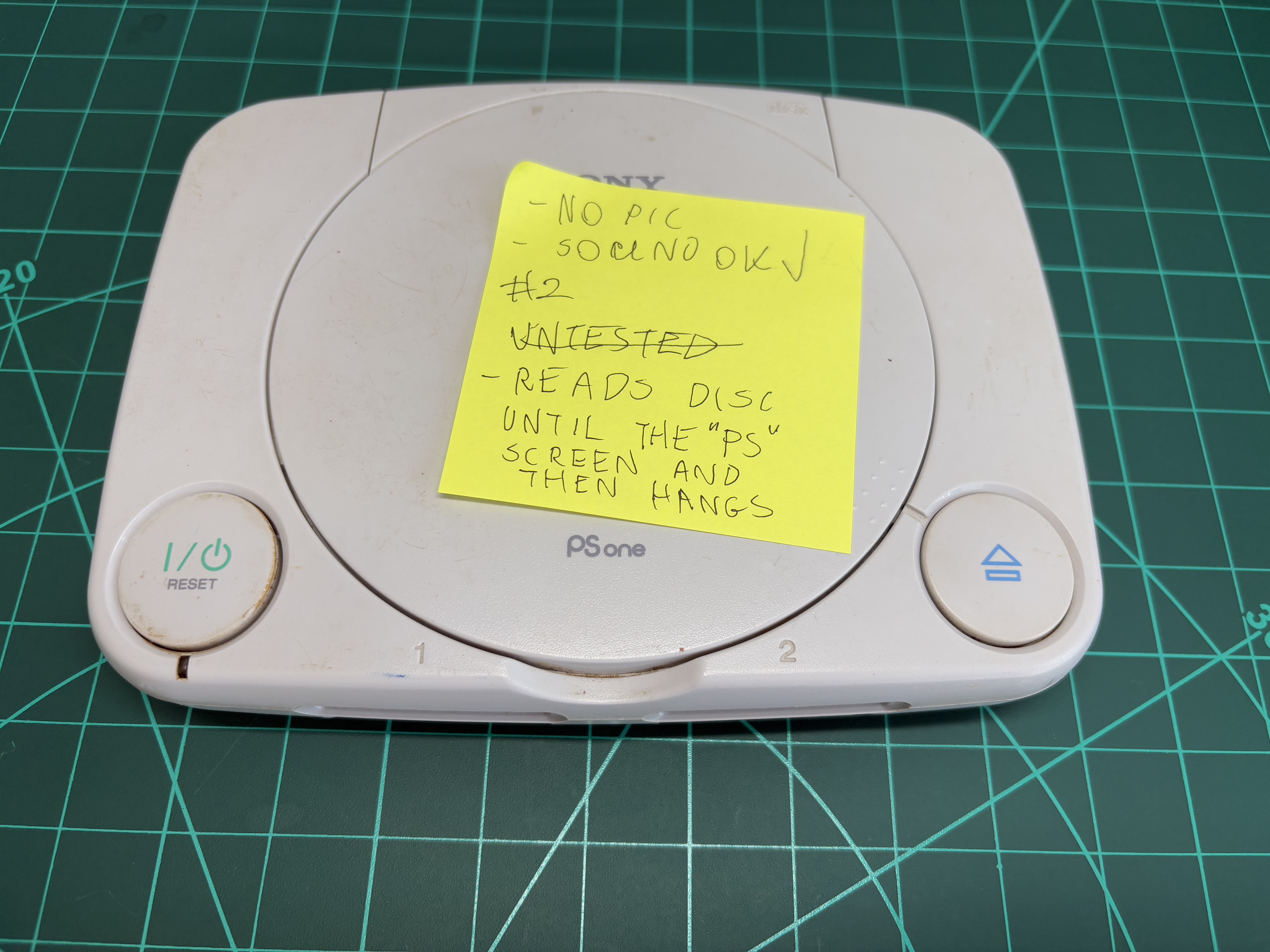
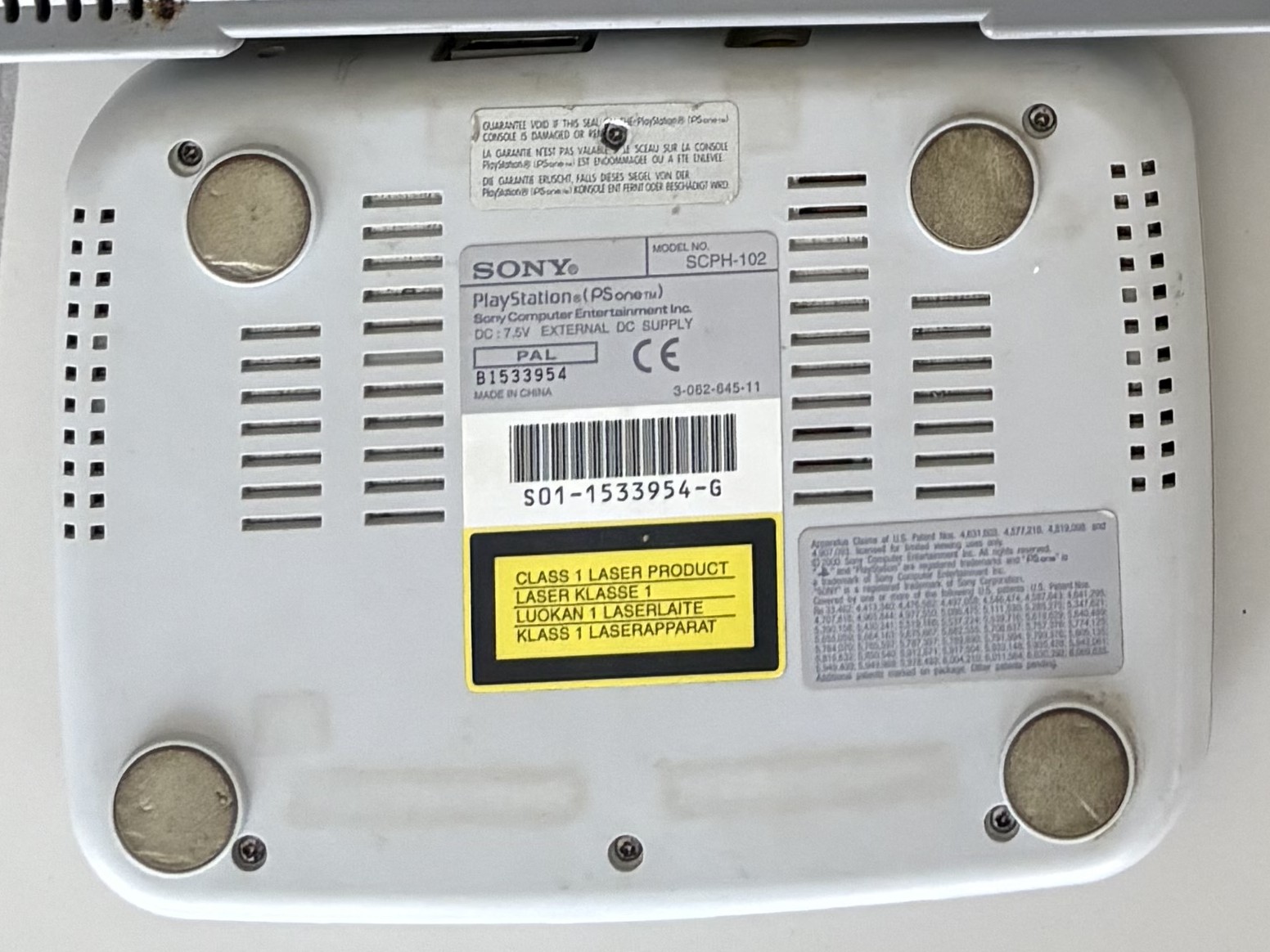
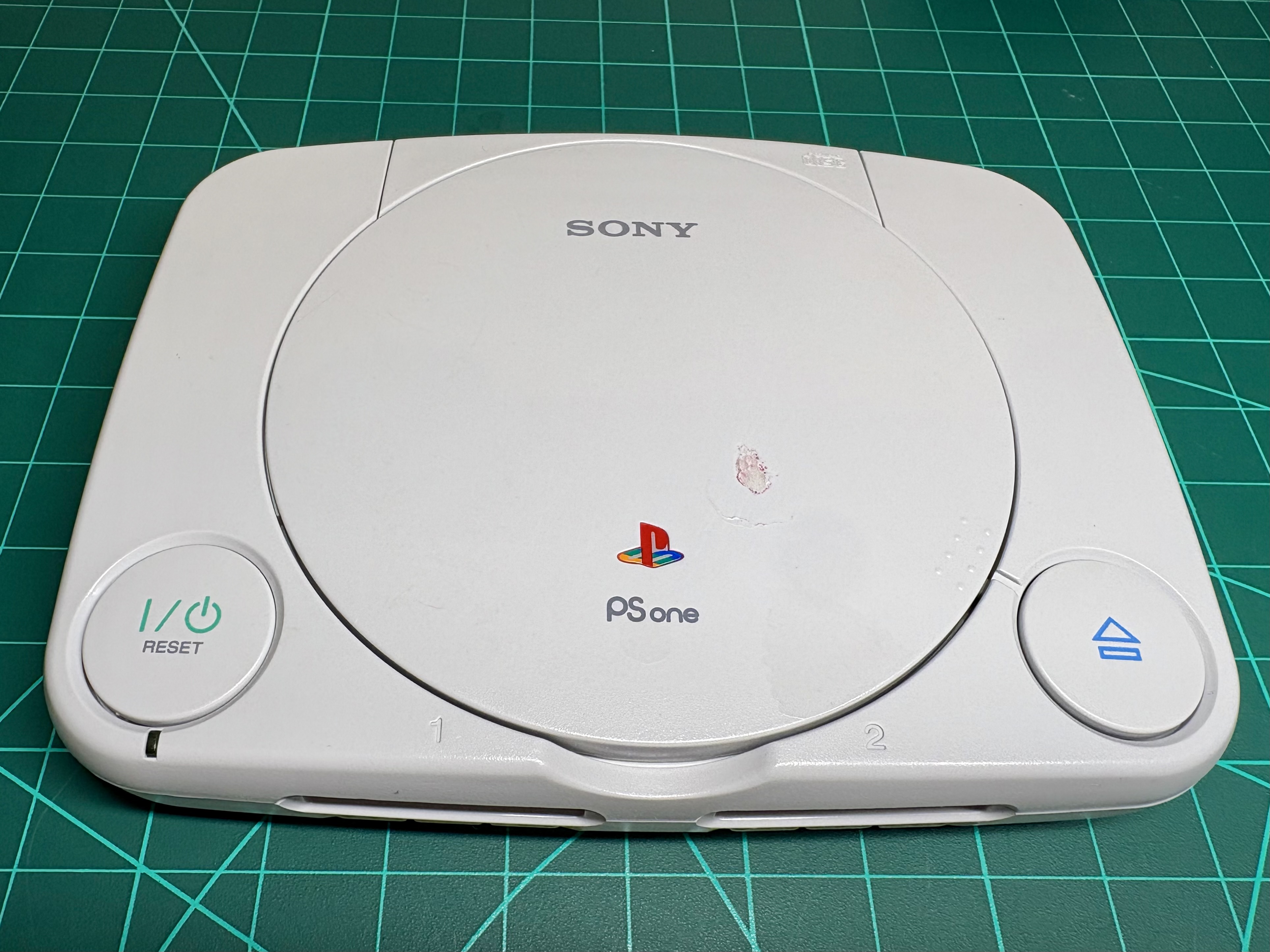
<p>In this post, I’ll describe how I fixed one of my PSOne consoles. I got this console as part of a larger lot consisting of five PSX and two PSOne consoles. They came as “untested,” “broken,” or “for parts.”
I paid £53 for the entire lot, including international shipping, which breaks down to around £7.50 per console.</p>

<h2 id="the-patient">The Patient</h2>

<p>Today’s patient is a PSOne - the smaller variant of the original PlayStation (PSX).</p>
<ul>
  <li>Model No: SCPH-102</li>
  <li>Region: PAL</li>
  <li>Serial Number: B1533954</li>
  <li>Made in China - the other PSOne from this lot is marked “Made in Japan,” so I think it’s worth documenting the difference.</li>
</ul>

<figure class="half">
    <a href="/assets/images/psone_2_first_check.webp"><img src="/assets/images/psone_2_first_check.webp" /></a>
    <a href="/assets/images/psone_2_back_first_check.webp"><img src="/assets/images/psone_2_back_first_check.webp" /></a>
    <figcaption>Pictures taken after the first test and before opening</figcaption>
</figure>

<h3 id="problem-1-no-video-output">Problem #1: No Video Output</h3>

<p>The first thing I noticed after powering up the console and connecting it to a screen was that it didn’t output any picture.
I know the console is alive because the LED next to the power button lights up, I can hear the distinct PlayStation boot sound from the speakers, and I can hear the disc drive motors moving. So it’s definitely something wrong with the video output circuit.
This is a common issue in PSOnes, and there’s also a well-known way to fix it.</p>

<h3 id="problem-2-discs-not-reading">Problem #2: Discs Not Reading</h3>

<p>Even though there’s no picture - so I can’t test games - I already know the disc drive isn’t working well. How do I know that? By listening to the audio output.</p>

<p>When a PlayStation powers up, it shows the Sony Computer Entertainment logo while playing the first part of the startup sound. Then, if a disc is present in the drive, it transitions to the PlayStation logo and plays the second part of the startup sound.
You can see this startup sequence in the video linked below:</p>

<iframe width="640" height="360" src="https://www.youtube-nocookie.com/embed/oAhvQoLpvsM?controls=0" frameborder="0" allowfullscreen=""></iframe>

<p>I know the game I put in this PSOne plays an opening sequence with music, and I can’t hear that music. So it seems the console detected a PlayStation CD-ROM, but fails to read data from it.</p>

<h3 id="problem-3-stripped-screws">Problem #3: Stripped Screws</h3>

<p>Unlike modern devices, old electronics are usually simple to open and disassemble. Typically, there’s a bunch of Philips or similar screws to remove, and then the case opens. Usually, there are no tricky tabs or hidden fasteners.</p>

<p>This PSOne, however, wasn’t easy to open. All the screws were stripped - some of them really badly.
This is usually caused by using the wrong screwdriver size, overtightening (causing the driver to slip), or just from being opened and reassembled too many times. Screws made from softer metals deform more easily.</p>

<figure class="half">
    <a href="/assets/images/psone_2_stripped_screw_1.webp"><img src="/assets/images/psone_2_stripped_screw_1.webp" /></a>
    <a href="/assets/images/psone_2_stripped_screw_2.webp"><img src="/assets/images/psone_2_stripped_screw_2.webp" /></a>
    <figcaption>Stripped screws</figcaption>
</figure>

<h2 id="cracking-it-open">Cracking it Open</h2>

<p>There are six screws to remove. Some were moderately stripped, others looked nearly impossible to remove. When you see a stripped screw, it’s best not to try removing it with a standard screwdriver - that will most likely make it worse. Here are some methods I tried:</p>

<h3 id="rubber-band-method">Rubber Band Method</h3>

<p>This is the easiest, cleanest, and least invasive of the methods I used.
To try it, place a wide rubber band over the screw head, then press the screwdriver into the rubber and turn gently. The rubber helps prevent the driver from slipping.
If the screw isn’t completely destroyed, this method can work.</p>

<figure>
    <a href="/assets/images/stripped_screw_rubber_band_method.webp"><img src="/assets/images/stripped_screw_rubber_band_method.webp" /></a>
    <figcaption>Rubber Band Method</figcaption>
</figure>

<p>I managed to remove 3 out of 6 screws using this method. Only 3 more to go!</p>

<h3 id="super-glue-method">Super Glue Method</h3>

<p>This one is messy, so I use it only if all “clean” methods fail.
The idea is to put a small amount of glue on the stripped screw head, press a screwdriver into it, and wait for the glue to set. Once it’s bonded, you try to twist it out.</p>

<p>It didn’t work in my case.</p>

<h3 id="drilling-through-method">Drilling Through Method</h3>

<p><strong>This is a last-resort method.</strong>
It involves drilling through the screw head until it detaches from the shaft. I used this method for the remaining 3 screws and was finally able to open the console.</p>

<figure class="half">
    <a href="/assets/images/psone_2_drilled_through_screw.webp"><img src="/assets/images/psone_2_drilled_through_screw.webp" /></a>
    <a href="/assets/images/psone_2_drilled_through_screw_head.webp"><img src="/assets/images/psone_2_drilled_through_screw_head.webp" /></a>
    <figcaption>After drilling through the screw head</figcaption>
</figure>

<p>This was my first time doing this, and while it worked, I learned a few lessons:</p>

<ul>
  <li>
    <p><strong>Use sharp, good-quality drill bits.</strong>
Worn-out bits require excessive pressure, which is dangerous and can damage nearby components - especially PCBs with multiple layers.</p>
  </li>
  <li>
    <p><strong>Be patient and drill slowly.</strong>
If you drill too fast, you can slip through the plastic or damage the board.</p>
  </li>
</ul>

<p>I wasn’t patient enough, and while drilling one of the screws, I applied too much pressure. My drill shaved off some PCB and a connector. Luckily, there were no copper traces in that area - just the ground plane - so the damage didn’t affect functionality. Next time, I’ll be more careful.</p>

<figure class="half">
    <a href="/assets/images/psone_2_drilled_through_pcb.webp"><img src="/assets/images/psone_2_drilled_through_pcb.webp" /></a>
    <a href="/assets/images/psone_2_drilled_through_pcb_back.webp"><img src="/assets/images/psone_2_drilled_through_pcb_back.webp" /></a>
    <figcaption>Some minor PCB and connector damage after drilling</figcaption>
</figure>

<h3 id="other-methods-i-didnt-try">Other Methods I Didn’t Try</h3>

<h4 id="using-a-screw-extractor-tool">Using a Screw Extractor Tool</h4>

<p>I don’t have one in my toolbox. This project had been waiting on my bench for a while already, and I didn’t want to delay it further by searching for the right extractor type and size.</p>

<h4 id="cutting-a-flat-head-driver-slot">Cutting a Flat Head Driver Slot</h4>

<p>Using a precision rotary tool, you can cut a slot in the screw for a flat head driver. I didn’t try this because PSOne screws sit recessed under the shell, so cutting the slot would’ve damaged the outer plastic.</p>

<h2 id="fixing-the-video-output">Fixing the Video Output</h2>

<h3 id="bad-capacitors-to-be-replaced">Bad Capacitors to Be Replaced</h3>

<p>The PSOne video output problem is well known in the repair community. It often comes down to failed capacitors in the video circuitry.
To fix the issue, capacitors C550 and C551 should be replaced.
In the picture below, you can see what these capacitors looked like in my PSOne.</p>

<figure>
    <a href="/assets/images/psone_2_bad_caps.webp"><img src="/assets/images/psone_2_bad_caps.webp" /></a>
    <figcaption>Dry deposits around original capacitors C550 and C551, indicating leakage</figcaption>
</figure>

<h3 id="replacing-bad-capacitors">Replacing Bad Capacitors</h3>

<p>I found 220 µF, 10 V capacitors in my parts bin - lucky to have the exact size needed.
I removed the old caps using a soldering iron. Given all the plastic connectors nearby, I decided that the soldering iron was safer than a hot air station.</p>

<p>I heated one pad at a time while gently lifting the capacitor. I alternated sides until it lifted off. Patience is key - pulling too early risks ripping off the pad.
I’m not very experienced with hot air tools, and the plastic parts around made me nervous, so the iron was the better choice here.</p>

<figure class="half">
    <a href="/assets/images/psone_2_original_caps_removed.webp"><img src="/assets/images/psone_2_original_caps_removed.webp" /></a>
    <a href="/assets/images/psone_2_cap_pads_clean.webp"><img src="/assets/images/psone_2_cap_pads_clean.webp" /></a>
    <figcaption>Removing old capacitors and cleaning up before installing fresh ones</figcaption>
</figure>

<p>After replacing the capacitors, the video output worked. Very satisfying!</p>

<figure class="half">
    <a href="/assets/images/psone_2_new_caps_installed.webp"><img src="/assets/images/psone_2_new_caps_installed.webp" /></a>
    <a href="/assets/images/psone_2_video_out_test.webp"><img src="/assets/images/psone_2_video_out_test.webp" /></a>
    <figcaption>Capacitors replaced. The video output works!</figcaption>
</figure>

<h3 id="checking-old-capacitors">Checking Old Capacitors</h3>

<p>I was curious to measure the old capacitors. I soldered leads to their pads to plug them into my tester.
They showed capacitance in pico- and nano-Farads - nowhere near the expected 220 µF. Definitely bad.</p>

<figure class="half">
    <a href="/assets/images/psone_2_cap_1_reading.webp"><img src="/assets/images/psone_2_cap_1_reading.webp" /></a>
    <a href="/assets/images/psone_2_cap_2_reading.webp"><img src="/assets/images/psone_2_cap_2_reading.webp" /></a>
    <figcaption>Old, faulty capacitors readings</figcaption>
</figure>

<h2 id="fixing-the-laser">Fixing the Laser</h2>

<p>It’s common for the laser to wear out over time, resulting in discs not being read.
There’s a method to prolong its life - adjusting the potentiometer on the laser assembly.
I was ready to try that, but first I tried something simpler: cleaning the laser lenses.</p>

<p>I soaked a cotton bud in isopropyl alcohol and gently wiped the lenses. To my surprise, that was enough - the console now reads discs, and there’s no need to tweak anything.</p>

<p>In the pictures below, you can see the laser before and after cleaning. It wasn’t visibly dirty, and there’s not much difference in the photos, but even a little dust can cause problems.</p>

<figure class="third">
    <a href="/assets/images/psone_2_dirty_lenses.webp"><img src="/assets/images/psone_2_dirty_lenses.webp" /></a>
    <a href="/assets/images/psone_2_laser_cleaned.webp"><img src="/assets/images/psone_2_laser_cleaned.webp" /></a>
    <a href="/assets/images/psone_2_disc_spin.webp"><img src="/assets/images/psone_2_disc_spin.webp" /></a>
    <figcaption>Laser before and after cleaning. Now the disc spins and loads.</figcaption>
</figure>

<h2 id="fixing-the-shell">Fixing the Shell</h2>

<h3 id="removing-drilled-through-screws">Removing Drilled-Through Screws</h3>

<p>Drilling the screw heads off left the shafts embedded in their inserts. Some stuck out enough to grab with pliers and remove.</p>

<p>One screw didn’t stick out far enough. I had to cut about 1 mm off the insert to expose more of the shaft. It looks a bit rough, but it doesn’t affect the shell structurally.</p>

<figure class="third">
    <a href="/assets/images/psone_2_screw_stuck.webp"><img src="/assets/images/psone_2_screw_stuck.webp" /></a>
    <a href="/assets/images/psone_2_screw_stuck_cut_insert.webp"><img src="/assets/images/psone_2_screw_stuck_cut_insert.webp" /></a>
    <a href="/assets/images/psone_2_screw_stuck_cut_insert_done.webp"><img src="/assets/images/psone_2_screw_stuck_cut_insert_done.webp" /></a>
    <figcaption>Screw that was stuck in the insert</figcaption>
</figure>

<h3 id="cleaning">Cleaning</h3>

<p>The shell was dirty and had lots of scuffs and marks. I cleaned it and all plastic elements with soapy water.
More stubborn marks were removed using isopropyl alcohol. Now the console looks nice and clean.</p>

<figure>
    <a href="/assets/images/psone_2_after_cleaning.webp"><img src="/assets/images/psone_2_after_cleaning.webp" /></a>
    <figcaption>After final cleaning</figcaption>
</figure>]]></content><author><name>Pawel Kusinski</name></author><category term="Restorations" /><category term="PSOne" /><category term="PlayStation" /><summary type="html"><![CDATA[In this post, I'll describe how I fixed one of my PSOne consoles. I got this console as part of a larger lot consisting of five PSX and two PSOne consoles. They came as "untested," "broken," or "for parts."]]></summary></entry><entry><title type="html">How to Make a Photo Collage in GIMP</title><link href="https://kusinski.net/misc/how_to_make_a_photo_collage_in_gimp/" rel="alternate" type="text/html" title="How to Make a Photo Collage in GIMP" /><published>2025-04-14T00:00:00+00:00</published><updated>2025-04-14T00:00:00+00:00</updated><id>https://kusinski.net/misc/how_to_make_a_photo_collage_in_gimp</id><content type="html" xml:base="https://kusinski.net/misc/how_to_make_a_photo_collage_in_gimp/"><![CDATA[<h2 id="what-we-will-make">What We Will Make</h2>

<p>In this post, I will explain how to make a simple photo collage in GIMP.</p>

<p><strong>Project details:</strong></p>
<ul>
  <li>We have 4 images. Each image is in landscape orientation and has a 4:3 aspect ratio.</li>
  <li>We want to create a 2 × 2 horizontal collage, also with a 4:3 aspect ratio.</li>
  <li>The collage resolution is 1024×768.</li>
  <li>There are no borders or spaces between the images.</li>
</ul>

<h2 id="steps">Steps</h2>

<h3 id="step-1-create-the-canvas-and-define-the-size">Step 1: Create the Canvas and Define the Size</h3>

<ol>
  <li>Click on <strong>File -&gt; New…</strong></li>
  <li>A window called <strong>Create a New Image</strong> will appear.</li>
  <li>Enter the dimensions in the <strong>Image Size</strong> section: <em>1024</em> for <strong>Width</strong> and <em>768</em> for <strong>Height</strong>.</li>
  <li>Click the <strong>OK</strong> button.
<img src="/assets/images/gimp_collage_create_a_new_image.webp" alt="gimp_collage_create_a_new_image.webp" /></li>
</ol>

<h3 id="step-2-create-guidelines">Step 2: Create Guidelines</h3>

<ol>
  <li>Click on <strong>Image -&gt; Guides -&gt; New Guide (by Percent)…</strong></li>
  <li>A window called <strong>Script-Fu: New Guide (by Percent)</strong> will appear.</li>
  <li>Set <strong>Direction</strong> to <strong>Horizontal</strong> and <strong>Position (in %)</strong> to <em>50.00</em>. These are the default values, so just click the <strong>OK</strong> button.</li>
  <li>A horizontal dashed line dividing the canvas in half will appear.</li>
  <li>Click on <strong>Image -&gt; Guides -&gt; New Guide (by Percent)…</strong> again.</li>
  <li>The <strong>Script-Fu: New Guide (by Percent)</strong> window will appear again.</li>
  <li>Set <strong>Direction</strong> to <strong>Vertical</strong> and keep <strong>Position (in %)</strong> at <em>50.00</em>. Click the <strong>OK</strong> button.</li>
  <li>A vertical dashed line dividing the canvas in half will appear.</li>
  <li>Make sure <strong>View -&gt; Snap to Guides</strong> is enabled.
<img src="/assets/images/gimp_collage_guidelines.webp" alt="gimp_collage_guidelines.webp" /></li>
</ol>

<h3 id="step-3-open-images">Step 3: Open Images</h3>

<ol>
  <li>Click on <strong>File -&gt; Open as Layers…</strong></li>
  <li>A window called <strong>Open Image as Layers</strong> will appear. Select your images and click the <strong>Open</strong> button.</li>
  <li>Each image will appear as a layer in the <strong>Layers</strong> panel.
<img src="/assets/images/gimp_collage_layers.webp" alt="gimp_collage_layers.webp" /></li>
</ol>

<h3 id="step-4-arrange-the-images">Step 4: Arrange the Images</h3>

<ol>
  <li>Click on the layer containing an image. Press <strong>Shift+S</strong> to scale.</li>
  <li>A <strong>Scale</strong> window will appear.</li>
  <li>Enter <em>512</em> in the <strong>Width</strong> field and press <strong>Enter</strong>. The <strong>Height</strong> will adjust automatically to maintain the aspect ratio. Press the <strong>Scale</strong> button to confirm.</li>
  <li>Repeat steps 1–3 for the remaining three images.</li>
  <li>Use the <strong>Move Tool</strong> to arrange the images so they align with the guidelines.</li>
  <li>If an image is outside the canvas boundaries, it can still be selected using the <strong>Move Tool</strong>. It will appear as a yellow outline, as shown in the screenshot below.</li>
</ol>

<figure class="half">
	<a href="/assets/images/gimp_collage_scale.webp"><img src="/assets/images/gimp_collage_scale.webp" /></a>
	<a href="/assets/images/gimp_collage_arranging.webp"><img src="/assets/images/gimp_collage_arranging.webp" /></a>
</figure>

<h3 id="step-5-export-the-collage">Step 5: Export the Collage</h3>

<ol>
  <li>Click on <strong>File -&gt; Export As…</strong></li>
  <li>An <strong>Export Image</strong> window will appear.</li>
  <li>Expand <strong>Select File Type (By Extension)</strong> and choose the desired format (e.g., <em>PNG</em>, <em>JPEG</em>).</li>
  <li>Enter a file name, choose a location, and click the <strong>Export</strong> button.</li>
  <li>Depending on the format, an additional window may appear with format-specific settings.</li>
  <li>Click the <strong>Export</strong> button again. You’re done!
<img src="/assets/images/gimp_collage_export.webp" alt="gimp_collage_export.webp)" /></li>
</ol>

<h2 id="notes">Notes</h2>

<p>These guidelines were written and tested using GIMP 2.10.34.</p>]]></content><author><name>Pawel Kusinski</name></author><category term="Misc" /><category term="GIMP" /><summary type="html"><![CDATA[In this post, I will explain how to make a simple photo collage in GIMP. Project details: We have 4 images. Each image is in landscape orientation and has a 4:3 aspect ratio.]]></summary></entry><entry><title type="html">DualShock Retrobrighting</title><link href="https://kusinski.net/restorations/dualshock_retrobrighting/" rel="alternate" type="text/html" title="DualShock Retrobrighting" /><published>2025-01-01T00:00:00+00:00</published><updated>2025-01-01T00:00:00+00:00</updated><id>https://kusinski.net/restorations/dualshock_retrobrighting</id><content type="html" xml:base="https://kusinski.net/restorations/dualshock_retrobrighting/"><![CDATA[<p class="notice--danger"><strong>CAUTION</strong>: This is not a tutorial, instruction, or guideline of any kind. Hydrogen peroxide may be harmful when not handled
properly. This article is written for entertainment purposes only.</p>

<h2 id="introduction">Introduction</h2>

<p>In this post, I’ll show you how I did my retrobrighting project on the original PSX DualShock controller.
It’s not uncommon for old electronics to turn yellow over time. In the picture below, you can see
that this controller is very far from its original gray color. There is a well-known method that helps
to remove yellowing - submerging the yellowed parts in hydrogen peroxide and exposing them to UV light for some time.
Let’s see if we can bring back its original look!</p>

<p><img src="/assets/images/psx_dual_shock_yellowed.webp" alt="psx_dual_shock_yellowed.webp" /></p>

<h2 id="taking-the-dualshock-apart">Taking the DualShock Apart</h2>

<p>First, we need to take the controller apart. The hydrogen peroxide treatment will be done on the shell, buttons,
and analog sticks. The picture below shows even better how yellowed this thing is.
The inner part of the bottom shell is nice and bright gray, while the outer
part of the top shell is yellow and discolored.</p>

<p><img src="/assets/images/psx_dual_shock_teardown.webp" alt="psx_dual_shock_teardown.webp" /></p>

<p>Aside from retrobrighting, since the controller is already disassembled, I cleaned the PCB and all other
elements with isopropyl alcohol. There was a lot of dirt, and a good cleaning - especially of the button contact
points - ensures this controller will work well. As for the plastic parts, I washed them in warm soapy water.</p>

<h2 id="preparing-the-setup">Preparing the Setup</h2>

<p>Here’s the list of items I needed for my retrobright project.</p>

<p><strong>Clear Plastic Container</strong></p>

<p>I chose something just big enough to fit the controller shells so I wouldn’t need to use more hydrogen
peroxide than necessary. The box is clear because we need the UV light to pass through its walls.
The UV light will come from the LED strip wrapped around the container walls.</p>

<p>Measurements:</p>
<ul>
  <li>Capacity: 5 L</li>
  <li>Lid size: 31.3 x 20.3 cm</li>
  <li>Box height (without lid): 12.8 cm</li>
</ul>

<p><img src="/assets/images/retrobright_clear_plastic_container.webp" alt="retrobright_clear_plastic_container.webp" /></p>

<p><strong>UV Light Source</strong></p>

<p>I got a 5-meter-long UV LED strip. It comes with a 12V DC adapter and includes DC jack connectors and adapters,
so I didn’t need to cut or solder wires.</p>

<figure class="half">
	<a href="/assets/images/retrobright_uv_strip_box.webp"><img src="/assets/images/retrobright_uv_strip_box.webp" /></a>
	<a href="/assets/images/retrobright_uv_strip_set.webp"><img src="/assets/images/retrobright_uv_strip_set.webp" /></a>
	<figcaption>UV LED Strip</figcaption>
</figure>

<p><strong>Aluminum Foil and Clear Tape</strong></p>

<p>Just a roll of aluminum foil to wrap around the box and LED strip, so all the UV light stays inside for
the best and fastest results.</p>

<p><strong>Hydrogen Peroxide</strong></p>

<p>I used 2 liters of 12% hydrogen peroxide solution.</p>

<h2 id="putting-it-all-together">Putting It All Together</h2>

<p>First, I wrapped the LED strip around the plastic container. Then I wrapped aluminum foil on top of the LED strip,
as well as over the container lid. I finished the wrapping with a layer of clear tape so the foil is protected and won’t tear
over time.</p>

<figure class="third">
	<a href="/assets/images/retrobright_container_step_1.webp"><img src="/assets/images/retrobright_container_step_1.webp" /></a>
	<a href="/assets/images/retrobright_container_step_2.webp"><img src="/assets/images/retrobright_container_step_2.webp" /></a>
	<a href="/assets/images/retrobright_container_step_3.webp"><img src="/assets/images/retrobright_container_step_3.webp" /></a>
	<figcaption>Preparing the UV Container</figcaption>
</figure>

<p>I poured the hydrogen peroxide into the container and then submerged the DualShock plastic parts in it. I also used
clear glass mugs to prevent the plastic parts from floating, as we want them to be fully submerged at all times.
After that, I turned on the UV light and covered the container with the lid.</p>

<p><img src="/assets/images/psx_dual_shock_retrobright_setup.webp" alt="psx_dual_shock_retrobright_setup.webp" /></p>

<h2 id="results">Results</h2>

<p>I left the container outside in the garden for about 18 hours. The results are really good, and this DualShock looks much
better than before. All yellowing is gone, and it looks fresh and clean. The difference is especially visible when
you compare the color of the connector and the controller itself.
The cable and the connector were not submerged in the solution.</p>

<p><img src="/assets/images/psx_dual_shock_after_retrobright.webp" alt="psx_dual_shock_after_retrobright.webp" /></p>

<p>While I’m happy with the results overall, there is one thing that makes me wonder if the whole process
went perfectly. When you take a close look at some areas on the back of the controller shell,
you can see some inconsistencies in the brightness - small spots or “patches”. It looks like the reaction did not
take place at the same intensity across all areas. I wouldn’t have expected that, because the aluminum foil
was supposed to reflect the light and help it reach every corner of the controller shell. This is something
I might want to research further when working on the next retrobrighting project.</p>

<p><img src="/assets/images/psx_dual_shock_retrobright_imperfections.webp" alt="psx_dual_shock_retrobright_imperfections.webp" /></p>

<p>One more thing that could be done next time is to check how we can retrobright the cable, the connector, and
the ferrite ring. The tricky part about the cable is that while it’s easy to remove it from the PCB by desoldering it
from the contacts, the ferrite ring and the connector shell parts are bonded together in a way that I couldn’t figure
out how to open without causing damage. Something to look into next time!</p>]]></content><author><name>Pawel Kusinski</name></author><category term="Restorations" /><category term="PSX" /><category term="PlayStation" /><summary type="html"><![CDATA[In this post, I'll show you how I did my retrobrighting project on the original PSX DualShock controller. It's not uncommon for old electronics to turn yellow over time.]]></summary></entry><entry><title type="html">_Generic Keyword in C</title><link href="https://kusinski.net/programming/c_generic_keyword/" rel="alternate" type="text/html" title="_Generic Keyword in C" /><published>2024-12-11T00:00:00+00:00</published><updated>2025-07-14T00:00:00+00:00</updated><id>https://kusinski.net/programming/c_generic_keyword</id><content type="html" xml:base="https://kusinski.net/programming/c_generic_keyword/"><![CDATA[<h2 id="introduction">Introduction</h2>
<p>In this post, I will present an interesting feature introduced in C11: the <code class="language-plaintext highlighter-rouge">_Generic</code> keyword. At times, it may seem like the C language is not receiving new features in new standard revisions, and changes are limited to small improvements. However, the introduction of the <code class="language-plaintext highlighter-rouge">_Generic</code> keyword is a significant addition that can enhance the way we program in C, allowing us to write less repetitive and more generic code. In this post, I will present two example usages of <code class="language-plaintext highlighter-rouge">_Generic</code>.</p>

<h2 id="use-case-1-function-overloading">Use case 1: Function Overloading</h2>
<p>Unlike C++, C does not support function overloading, which means we have to write separate functions that perform similar operations on different data types.</p>

<p>To illustrate a simple example of overloading, consider the following C++ code that defines two versions of the <code class="language-plaintext highlighter-rouge">calculateArea</code> function - one for squares and the other for circles. The compiler selects the appropriate implementation based on the object type passed to the function.</p>

<div class="language-cpp highlighter-rouge"><div class="highlight"><pre class="highlight"><code><span class="cp">#include</span> <span class="cpf">&lt;iostream&gt;</span><span class="cp">
</span>
<span class="k">using</span> <span class="k">namespace</span> <span class="n">std</span><span class="p">;</span>

<span class="k">struct</span> <span class="nc">Square_t</span> <span class="p">{</span>
    <span class="kt">double</span> <span class="n">sideLength</span><span class="p">;</span>
<span class="p">};</span>

<span class="k">struct</span> <span class="nc">Circle_t</span> <span class="p">{</span>
    <span class="kt">double</span> <span class="n">radius</span><span class="p">;</span>
<span class="p">};</span>

<span class="kt">double</span> <span class="n">calculateArea</span><span class="p">(</span><span class="n">Square_t</span> <span class="n">square</span><span class="p">)</span> <span class="p">{</span>
    <span class="k">return</span> <span class="n">square</span><span class="p">.</span><span class="n">sideLength</span> <span class="o">*</span> <span class="n">square</span><span class="p">.</span><span class="n">sideLength</span><span class="p">;</span>
<span class="p">}</span>

<span class="kt">double</span> <span class="n">calculateArea</span><span class="p">(</span><span class="n">Circle_t</span> <span class="n">circle</span><span class="p">)</span> <span class="p">{</span>
    <span class="k">return</span> <span class="mf">3.14159</span> <span class="o">*</span> <span class="n">circle</span><span class="p">.</span><span class="n">radius</span> <span class="o">*</span> <span class="n">circle</span><span class="p">.</span><span class="n">radius</span><span class="p">;</span>
<span class="p">}</span>

<span class="kt">int</span> <span class="n">main</span><span class="p">()</span> <span class="p">{</span>
    <span class="n">Square_t</span> <span class="n">square</span><span class="p">;</span>
    <span class="n">square</span><span class="p">.</span><span class="n">sideLength</span> <span class="o">=</span> <span class="mf">5.0</span><span class="p">;</span>
    <span class="n">Circle_t</span> <span class="n">circle</span><span class="p">;</span>
    <span class="n">circle</span><span class="p">.</span><span class="n">radius</span> <span class="o">=</span> <span class="mf">3.0</span><span class="p">;</span>
    <span class="kt">double</span> <span class="n">squareArea</span> <span class="o">=</span> <span class="n">calculateArea</span><span class="p">(</span><span class="n">square</span><span class="p">);</span>
    <span class="n">cout</span> <span class="o">&lt;&lt;</span> <span class="s">"Area of the square: "</span> <span class="o">&lt;&lt;</span> <span class="n">squareArea</span> <span class="o">&lt;&lt;</span> <span class="n">endl</span><span class="p">;</span>
    <span class="kt">double</span> <span class="n">circleArea</span> <span class="o">=</span> <span class="n">calculateArea</span><span class="p">(</span><span class="n">circle</span><span class="p">);</span>
    <span class="n">cout</span> <span class="o">&lt;&lt;</span> <span class="s">"Area of the circle: "</span> <span class="o">&lt;&lt;</span> <span class="n">circleArea</span> <span class="o">&lt;&lt;</span> <span class="n">endl</span><span class="p">;</span>
    <span class="k">return</span> <span class="mi">0</span><span class="p">;</span>
<span class="p">}</span>
</code></pre></div></div>
<p>Running this program will produce the following output:</p>

<div class="language-console highlighter-rouge"><div class="highlight"><pre class="highlight"><code><span class="go">Area of the square: 25
Area of the circle: 28.2743
</span></code></pre></div></div>

<p>Now, let’s focus on C. How can we achieve function overloading in C? Thanks to the <code class="language-plaintext highlighter-rouge">_Generic</code> keyword, we can somewhat “simulate” function overloading. Let’s reimplement the code presented earlier in C.</p>

<p>First, we need to rename the functions that calculate the area since we cannot use the same names. We’ll add suffixes corresponding to the type each function is designated for:</p>

<div class="language-c highlighter-rouge"><div class="highlight"><pre class="highlight"><code><span class="kt">double</span> <span class="nf">calculateAreaSquare</span><span class="p">(</span><span class="n">Square_t</span> <span class="n">square</span><span class="p">)</span> <span class="p">{</span>
    <span class="k">return</span> <span class="n">square</span><span class="p">.</span><span class="n">sideLength</span> <span class="o">*</span> <span class="n">square</span><span class="p">.</span><span class="n">sideLength</span><span class="p">;</span>
<span class="p">}</span>

<span class="kt">double</span> <span class="nf">calculateAreaCircle</span><span class="p">(</span><span class="n">Circle_t</span> <span class="n">circle</span><span class="p">)</span> <span class="p">{</span>
    <span class="k">return</span> <span class="mi">3</span><span class="p">.</span><span class="mi">14159</span> <span class="o">*</span> <span class="n">circle</span><span class="p">.</span><span class="n">radius</span> <span class="o">*</span> <span class="n">circle</span><span class="p">.</span><span class="n">radius</span><span class="p">;</span>
<span class="p">}</span>
</code></pre></div></div>

<p>Now, here’s the trick: we’ll use the <code class="language-plaintext highlighter-rouge">_Generic</code> selection, which chooses the appropriate definition based on the object type passed to the macro:</p>

<div class="language-c highlighter-rouge"><div class="highlight"><pre class="highlight"><code><span class="cp">#define calculateArea(x) _Generic((x), \
    Square_t: calculateAreaSquare, \
    Circle_t: calculateAreaCircle \
)(x)
</span></code></pre></div></div>

<p>Let’s break it down and analyze the syntax explanation from <a href="https://en.cppreference.com/w/c/language/generic">cppreference.com</a>:</p>

<blockquote>
  <p><code class="language-plaintext highlighter-rouge">_Generic ( controlling-expression , association-list )</code>
where <code class="language-plaintext highlighter-rouge">association-list</code> is a comma-separated list of associations, each of which has the syntax <code class="language-plaintext highlighter-rouge">type-name : expression</code>.</p>
</blockquote>

<p>Whenever we call <code class="language-plaintext highlighter-rouge">calculateArea(x)</code>, the compiler checks the type of <code class="language-plaintext highlighter-rouge">x</code>. When <code class="language-plaintext highlighter-rouge">x</code> is of type <code class="language-plaintext highlighter-rouge">Square_t</code>, then <code class="language-plaintext highlighter-rouge">calculateAreaSquare</code> is selected. When <code class="language-plaintext highlighter-rouge">x</code> is of type <code class="language-plaintext highlighter-rouge">Circle_t</code>, then <code class="language-plaintext highlighter-rouge">calculateAreaCircle</code> is selected. When the type of <code class="language-plaintext highlighter-rouge">x</code> is neither <code class="language-plaintext highlighter-rouge">Square_t</code> nor <code class="language-plaintext highlighter-rouge">Circle_t</code>, the compilation will fail unless a default label is defined, which must have an expression that works properly with the object of the given type. The <code class="language-plaintext highlighter-rouge">(x)</code> at the end of the definition is necessary for the correct function call syntax.</p>

<p>Note that after the last element of the association list we don’t place a comma! I made that mistake several times and had a hard time figuring out what syntax error I was making. When defining an enum, sometimes I like to put a comma after the last enum element because it makes it convenient to add another item using copy-paste hotkeys, without the need to add a comma to the new second-last element of the enum. Unfortunately, this practice doesn’t work with <code class="language-plaintext highlighter-rouge">_Generic</code> association lists! If you add a comma after the last element, your code won’t compile.</p>

<div class="language-c highlighter-rouge"><div class="highlight"><pre class="highlight"><code><span class="k">_Generic</span><span class="p">(</span><span class="n">x</span><span class="p">,</span>
    <span class="kt">int</span><span class="o">:</span> <span class="s">"int"</span><span class="p">,</span>
    <span class="kt">float</span><span class="o">:</span> <span class="s">"float"</span><span class="p">,</span>
    <span class="c1">// error - don't place comma after "float"</span>
<span class="p">)</span>
</code></pre></div></div>

<p>The complete code is as follows. Note that the code in the <code class="language-plaintext highlighter-rouge">main</code> function is the same as its C++ counterpart, except for the functions used to print to standard output:</p>

<div class="language-c highlighter-rouge"><div class="highlight"><pre class="highlight"><code><span class="cp">#include</span> <span class="cpf">&lt;stdio.h&gt;</span><span class="cp">
</span>
<span class="k">typedef</span> <span class="k">struct</span>  <span class="p">{</span>
    <span class="kt">double</span> <span class="n">sideLength</span><span class="p">;</span>
<span class="p">}</span> <span class="n">Square_t</span><span class="p">;</span>

<span class="k">typedef</span> <span class="k">struct</span> <span class="p">{</span>
    <span class="kt">double</span> <span class="n">radius</span><span class="p">;</span>
<span class="p">}</span> <span class="n">Circle_t</span><span class="p">;</span>

<span class="kt">double</span> <span class="nf">calculateAreaSquare</span><span class="p">(</span><span class="n">Square_t</span> <span class="n">square</span><span class="p">)</span> <span class="p">{</span>
    <span class="k">return</span> <span class="n">square</span><span class="p">.</span><span class="n">sideLength</span> <span class="o">*</span> <span class="n">square</span><span class="p">.</span><span class="n">sideLength</span><span class="p">;</span>
<span class="p">}</span>

<span class="kt">double</span> <span class="nf">calculateAreaCircle</span><span class="p">(</span><span class="n">Circle_t</span> <span class="n">circle</span><span class="p">)</span> <span class="p">{</span>
    <span class="k">return</span> <span class="mi">3</span><span class="p">.</span><span class="mi">14159</span> <span class="o">*</span> <span class="n">circle</span><span class="p">.</span><span class="n">radius</span> <span class="o">*</span> <span class="n">circle</span><span class="p">.</span><span class="n">radius</span><span class="p">;</span>
<span class="p">}</span>

<span class="cp">#define calculateArea(x) _Generic((x), \
    Square_t: calculateAreaSquare, \
    Circle_t: calculateAreaCircle \
)(x)
</span>
<span class="kt">int</span> <span class="nf">main</span><span class="p">()</span> <span class="p">{</span>
    <span class="n">Square_t</span> <span class="n">square</span><span class="p">;</span>
    <span class="n">square</span><span class="p">.</span><span class="n">sideLength</span> <span class="o">=</span> <span class="mi">5</span><span class="p">.</span><span class="mi">0</span><span class="p">;</span>
    <span class="n">Circle_t</span> <span class="n">circle</span><span class="p">;</span>
    <span class="n">circle</span><span class="p">.</span><span class="n">radius</span> <span class="o">=</span> <span class="mi">3</span><span class="p">.</span><span class="mi">0</span><span class="p">;</span>
    <span class="kt">double</span> <span class="n">squareArea</span> <span class="o">=</span> <span class="n">calculateArea</span><span class="p">(</span><span class="n">square</span><span class="p">);</span>
    <span class="n">printf</span><span class="p">(</span><span class="s">"Area of the square: %f</span><span class="se">\n</span><span class="s">"</span><span class="p">,</span> <span class="n">squareArea</span><span class="p">);</span>
    <span class="kt">double</span> <span class="n">circleArea</span> <span class="o">=</span> <span class="n">calculateArea</span><span class="p">(</span><span class="n">circle</span><span class="p">);</span>
    <span class="n">printf</span><span class="p">(</span><span class="s">"Area of the circle: %f</span><span class="se">\n</span><span class="s">"</span><span class="p">,</span> <span class="n">circleArea</span><span class="p">);</span>
    <span class="k">return</span> <span class="mi">0</span><span class="p">;</span>
<span class="p">}</span>
</code></pre></div></div>

<p>Running this program produces the following output:</p>

<div class="language-console highlighter-rouge"><div class="highlight"><pre class="highlight"><code><span class="go">Area of the square: 25.000000
Area of the circle: 28.274310
</span></code></pre></div></div>

<h2 id="use-case-2-portable-drivers-and-libraries-interfaces">Use Case 2: Portable Drivers and Libraries Interfaces</h2>

<h3 id="usual-solution-function-pointer">Usual Solution: Function Pointer</h3>

<p>Suppose we are implementing a library that needs to be platform-independent, such as a command-line interface library for an embedded system. Let’s assume that UART is our standard input/output. To ensure portability, the library code cannot use platform-specific functions that directly read from or write to UART.</p>

<p>One of the techniques used to make the code portable is passing function pointers to the library. These function pointers point to functions that implement generic operations, such as writing a character to standard output in a platform-specific way. Here’s an example of how it’s done:</p>
<div class="language-c highlighter-rouge"><div class="highlight"><pre class="highlight"><code><span class="cm">/* sys_shell.c library source file */</span>

<span class="cm">/* Static storage of the function pointer
 * for the entire lifetime of the library
 */</span>
<span class="k">static</span> <span class="nf">int</span> <span class="p">(</span><span class="o">*</span><span class="n">print_to_stdout_fptr</span><span class="p">)(</span><span class="k">const</span> <span class="kt">char</span><span class="o">*</span><span class="p">);</span>

<span class="kt">int</span> <span class="nf">SysShell_init</span><span class="p">(</span><span class="kt">int</span> <span class="p">(</span><span class="o">*</span><span class="n">print_to_stdout</span><span class="p">)(</span><span class="k">const</span> <span class="kt">char</span><span class="o">*</span><span class="p">))</span> <span class="p">{</span>
    <span class="k">if</span> <span class="p">(</span><span class="nb">NULL</span> <span class="o">==</span> <span class="n">print_to_stdout</span><span class="p">)</span> <span class="p">{</span>
        <span class="k">return</span> <span class="o">-</span><span class="mi">1</span><span class="p">;</span>
    <span class="p">}</span>

    <span class="n">print_to_stdout_fptr</span> <span class="o">=</span> <span class="n">print_to_stdout</span><span class="p">;</span>
<span class="p">}</span>
</code></pre></div></div>

<p>The user should initialize the library as follows:</p>
<div class="language-c highlighter-rouge"><div class="highlight"><pre class="highlight"><code><span class="kt">int</span> <span class="nf">Uart_SendString</span><span class="p">(</span><span class="k">const</span> <span class="kt">char</span><span class="o">*</span> <span class="n">str</span><span class="p">)</span> <span class="p">{</span>
    <span class="cm">/* Custom implementation for putting the str to UART */</span>
    <span class="k">return</span> <span class="mi">0</span><span class="p">;</span>
<span class="p">}</span>

<span class="kt">int</span> <span class="nf">main</span><span class="p">()</span> <span class="p">{</span>
    <span class="n">SysShell_init</span><span class="p">(</span><span class="n">Uart_SendString</span><span class="p">)</span>
    <span class="k">return</span> <span class="mi">0</span><span class="p">;</span>
<span class="p">}</span>
</code></pre></div></div>

<p>After the initialization is done, one of the library functions could look like this:</p>
<div class="language-c highlighter-rouge"><div class="highlight"><pre class="highlight"><code><span class="kt">int</span> <span class="nf">SysShell_SendWelcomeStr</span><span class="p">()</span> <span class="p">{</span>
    <span class="cm">/* Send welcome string to standard output.
     * Standard output print functionality is provided by the
     * user and stored in print_to_stdout_fptr function pointer.
     */</span>
    <span class="k">const</span> <span class="kt">char</span><span class="o">*</span> <span class="n">welcome_str</span> <span class="o">=</span>
        <span class="s">"----------- Sys Shell -----------</span><span class="se">\r\n</span><span class="s">"</span>
        <span class="s">"Type 'help' for more information</span><span class="se">\r\n</span><span class="s">"</span>
        <span class="s">"&gt; "</span><span class="p">;</span>
    <span class="n">print_to_stdout_fptr</span><span class="p">(</span><span class="n">welcome_str</span><span class="p">);</span>
<span class="p">}</span>
</code></pre></div></div>

<p>This is a well-known and common approach. However, if you’re not careful, there are some inconveniences or risks involved:</p>
<ul>
  <li>The user of the library must make sure that <code class="language-plaintext highlighter-rouge">SysShell_init</code> is called before calling any other function of the library; otherwise, the library will not function properly.</li>
  <li>Passing only one function pointer is easy. However, if we have many platform-dependent functionalities that need to be passed as function pointers, the prototype of <code class="language-plaintext highlighter-rouge">SysShell_init</code> might become very long and messy, especially given the tricky function pointer syntax.</li>
  <li>The library requires a function pointer that takes a <code class="language-plaintext highlighter-rouge">const char*</code> string, which means that the user’s implementation cannot modify the contents of the string. If we do not set strict compiler warnings, the code will compile with <code class="language-plaintext highlighter-rouge">int Uart_SendString(char* str)</code> as well, meaning that <code class="language-plaintext highlighter-rouge">Uart_SendString</code> can modify the contents of the string. This might not be expected by the library, as it could pass a string stored in a read-only location, leading to program crashes if the user’s implementation tries to modify the passed string.</li>
</ul>

<p>As mentioned above, using function pointers as an interface for portable drivers and libraries is a common practice in C programming. Below is just another way of implementing portability by utilizing the <code class="language-plaintext highlighter-rouge">_Generic</code> keyword.</p>

<h3 id="alternative-solution-preprocessor-definition-but-with-type-safety-checks">Alternative Solution: Preprocessor Definition, but with Type Safety Checks</h3>

<p>In this solution, our library doesn’t require a <code class="language-plaintext highlighter-rouge">SysShell_init</code> function to get interface function pointers as parameters. Instead, we only need the following definition in the header file. The header file can be part of the library or a specific header file provided by the user:</p>
<div class="language-c highlighter-rouge"><div class="highlight"><pre class="highlight"><code><span class="cp">#define SYS_SHELL_SEND_STR Uart_SendString
</span></code></pre></div></div>

<p>Then, <code class="language-plaintext highlighter-rouge">SysShell_SendWelcomeStr</code> uses the <code class="language-plaintext highlighter-rouge">SYS_SHELL_SEND_STR</code> definition:</p>
<div class="language-c highlighter-rouge"><div class="highlight"><pre class="highlight"><code><span class="kt">int</span> <span class="nf">SysShell_SendWelcomeStr</span><span class="p">(</span><span class="kt">void</span><span class="p">)</span> <span class="p">{</span>
    <span class="k">const</span> <span class="kt">char</span><span class="o">*</span> <span class="n">welcome_str</span> <span class="o">=</span>
        <span class="s">"----------- Sys Shell -----------</span><span class="se">\r\n</span><span class="s">"</span>
        <span class="s">"Type 'help' for more information</span><span class="se">\r\n</span><span class="s">"</span>
        <span class="s">"&gt; "</span><span class="p">;</span>
    <span class="n">SYS_SHELL_SEND_STR</span><span class="p">(</span><span class="n">welcome_str</span><span class="p">);</span>
<span class="p">}</span>
</code></pre></div></div>
<p>Okay, but after all, what’s so special here? We all know that using the preprocessor, we can replace text so that a generic function name can be transformed into our platform-specific function name. The problem is that these preprocessor definitions can be error-prone. You can “assign” anything to <code class="language-plaintext highlighter-rouge">SYS_SHELL_SEND_STR</code>, and if the function prototype is completely wrong, then the build will surely fail. However, in the case of more subtle but dangerous mismatches, such as the already mentioned <code class="language-plaintext highlighter-rouge">char*</code> instead of <code class="language-plaintext highlighter-rouge">const char*</code>, the result might be unpredictable.</p>

<p>The use of <code class="language-plaintext highlighter-rouge">_Generic</code> allows us to ensure that the user implementation and the function signature are exactly as expected.</p>

<p>First, let’s define a macro that checks if <code class="language-plaintext highlighter-rouge">expr</code> is of <code class="language-plaintext highlighter-rouge">expected_type</code>. It evaluates to 1 when the expression type matches the expected type, and 0 otherwise:</p>
<div class="language-c highlighter-rouge"><div class="highlight"><pre class="highlight"><code><span class="cp">#define TYPE_CHECK(expr, expected_type)\
        _Generic((expr), expected_type: 1, default: 0)
</span>
<span class="cm">/* Our interface definition */</span>
<span class="cp">#define SYS_SHELL_SEND_STR Uart_SendString
</span>
<span class="cm">/* TYPE_CHECK(SYS_SHELL_SEND_STR, int (*)(const char*)) will:
 *  - return 1 if Uart_SendString signature is
      "int Uart_SendString(const char* str)"
 *  - return 0 if Uart_SendString is of any other type,
      including function with non-const char* parameter:
      "int Uart_SendString(char* str)"
 */</span>
</code></pre></div></div>

<p>Then we can use a static assertion, which evaluates the <code class="language-plaintext highlighter-rouge">TYPE_CHECK</code> at compile time:</p>

<div class="language-c highlighter-rouge"><div class="highlight"><pre class="highlight"><code><span class="cp">#include</span> <span class="cpf">&lt;assert.h&gt;</span><span class="cp">
</span>
<span class="n">static_assert</span><span class="p">(</span><span class="n">TYPE_CHECK</span><span class="p">(</span><span class="n">SYS_SHELL_SEND_STR</span><span class="p">,</span> <span class="kt">int</span> <span class="p">(</span><span class="o">*</span><span class="p">)(</span><span class="k">const</span> <span class="kt">char</span><span class="o">*</span><span class="p">)),</span>
              <span class="s">"Wrong SYS_SHELL_SEND_STR pointer type"</span><span class="p">);</span>
</code></pre></div></div>
<p>When a bad interface is defined, the compiler will display an error message that we write in the assertion, making it very clear for the user what is wrong. For example, the GCC error output in case of a failed assertion would be:</p>
<div class="language-console highlighter-rouge"><div class="highlight"><pre class="highlight"><code><span class="go">error: static assertion failed: "Wrong SYS_SHELL_SEND_STR pointer type"
  149 | static_assert(TYPE_CHECK(SYS_SHELL_SEND_STR, int (*)(const char*)),
      | ^~~~~~~~~~~~~
</span></code></pre></div></div>
<p>The advantages of using the preprocessor, <code class="language-plaintext highlighter-rouge">_Generic</code>, and <code class="language-plaintext highlighter-rouge">static_assert</code> in comparison with passing function pointers to the library are:</p>
<ul>
  <li>We do not need to implement an initialization function to pass interface function pointers, which can have complicated function prototype syntax when many function pointers are needed.</li>
  <li>We don’t need to write NULL pointer checks everywhere in the library to ensure that the user provided a valid function pointer.</li>
  <li>We do not need to allocate memory for storing the pointers.</li>
  <li>We can check the interface function types at compile time.</li>
</ul>

<p>The drawback of using preprocessor definitions for the interface definition is the handling of the header. The user needs to create a special header file where all the definitions are stored, and the file name must match the name expected by the library.</p>

<p>If you want to experiment more with the example, here’s the complete code that uses <code class="language-plaintext highlighter-rouge">_Generic</code> and <code class="language-plaintext highlighter-rouge">static_assert</code>:</p>
<div class="language-c highlighter-rouge"><div class="highlight"><pre class="highlight"><code><span class="cp">#include</span> <span class="cpf">&lt;stdio.h&gt;</span><span class="cp">
#include</span> <span class="cpf">&lt;assert.h&gt;</span><span class="cp">
</span>
<span class="cp">#define TYPE_CHECK(expr, expected_type)\
        _Generic((expr), expected_type: 1, default: 0)
</span>
<span class="kt">int</span> <span class="nf">Uart_SendString</span><span class="p">(</span><span class="k">const</span> <span class="kt">char</span><span class="o">*</span> <span class="n">str</span><span class="p">)</span> <span class="p">{</span>
    <span class="n">printf</span><span class="p">(</span><span class="s">"%s"</span><span class="p">,</span> <span class="n">str</span><span class="p">);</span>
    <span class="n">printf</span><span class="p">(</span><span class="s">"</span><span class="se">\n</span><span class="s">"</span><span class="p">);</span>
    <span class="k">return</span> <span class="mi">0</span><span class="p">;</span>
<span class="p">}</span>

<span class="cp">#define SYS_SHELL_SEND_STR Uart_SendString
</span>
<span class="n">static_assert</span><span class="p">(</span><span class="n">TYPE_CHECK</span><span class="p">(</span><span class="n">SYS_SHELL_SEND_STR</span><span class="p">,</span> <span class="kt">int</span> <span class="p">(</span><span class="o">*</span><span class="p">)(</span><span class="k">const</span> <span class="kt">char</span><span class="o">*</span><span class="p">)),</span>
              <span class="s">"Wrong SYS_SHELL_SEND_STR pointer type"</span><span class="p">);</span>

<span class="kt">void</span> <span class="nf">SysShell_SendWelcomeStr</span><span class="p">(</span><span class="kt">void</span><span class="p">)</span> <span class="p">{</span>
    <span class="k">const</span> <span class="kt">char</span><span class="o">*</span> <span class="n">welcome_str</span> <span class="o">=</span> <span class="s">"----------- Sys Shell -----------</span><span class="se">\r\n</span><span class="s">"</span>
                              <span class="s">"Type 'help' for more information</span><span class="se">\r\n</span><span class="s">"</span>
                              <span class="s">"&gt; "</span><span class="p">;</span>

    <span class="n">SYS_SHELL_SEND_STR</span><span class="p">(</span><span class="n">welcome_str</span><span class="p">);</span>
<span class="p">}</span>

<span class="kt">int</span> <span class="nf">main</span><span class="p">()</span> <span class="p">{</span>
    <span class="n">SysShell_SendWelcomeStr</span><span class="p">();</span>
    <span class="k">return</span> <span class="mi">0</span><span class="p">;</span>
<span class="p">}</span>
</code></pre></div></div>
<p>This code produces the following output:</p>
<div class="language-console highlighter-rouge"><div class="highlight"><pre class="highlight"><code><span class="go">----------- Sys Shell -----------
Type 'help' for more information
</span><span class="gp">&gt;</span><span class="w">
</span></code></pre></div></div>]]></content><author><name>Pawel Kusinski</name></author><category term="Programming" /><category term="C" /><summary type="html"><![CDATA[In this post, I will present an interesting feature introduced in C11: the `_Generic` keyword. At times, it may seem like the C language is not receiving new features in new standard revisions, and changes are limited to small improvements.]]></summary></entry></feed>